

On November 10, Blask introduced Ask Blask — an AI assistant for questions about iGaming markets, brands, and games. Instead of searching dashboards yourself, you can describe your task in chat and get an answer based on the platform’s data.
What you can ask
Which brands are gaining traction in a selected GEO, how markets differ, and which games are becoming more visible in operator lobbies. You can ask questions in your own language and then clarify details in the same conversation.
The assistant shows which data it used. Answers come as text, lists, and tables — for now, you’ll need to build charts separately.
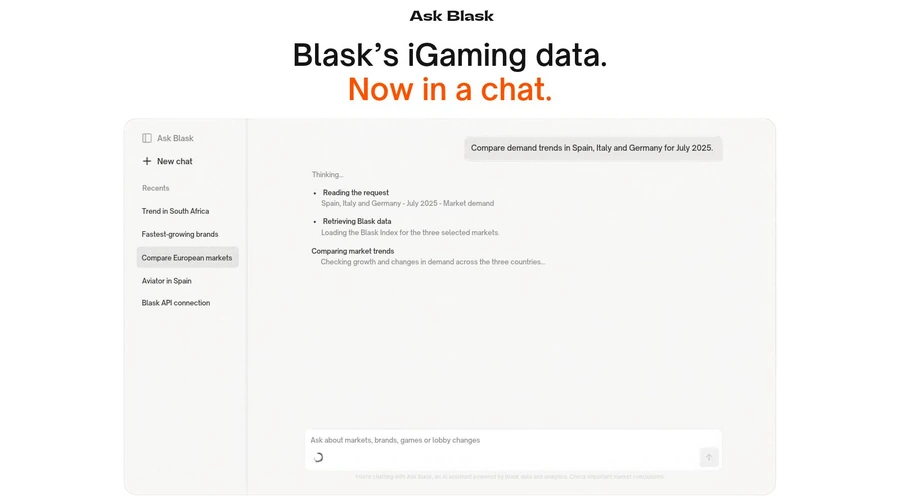
Screenshot from the announcement: Ask Blask
What’s included for $49
The individual plan costs $49 per user per month. This gives you access to the chat with a monthly usage limit. Usage depends on question complexity, data volume, and answer length.
Dashboards and reports are not included in this price. To connect, you need to submit a request and coordinate activation with the Blask team.
Who might find this useful
According to its stated features, Ask Blask has several practical use cases:
- Buyers and affiliate teams — get an initial overview of a GEO before testing: how demand is changing and which brands are attracting audience attention.
- SEO teams and website owners — track interest in brands and choose which areas to explore for new pages and content.
- Analysts and affiliate managers — quickly gather insights on multiple markets and respond to sudden “what’s up with competitors” questions.
- Operators and game providers — study game visibility and changes in competitor lobbies.
Will it be worth it?
$49 per month is more expensive than ChatGPT Plus and Claude Pro combined: in the US, each costs $20 per month. For this price, you’d expect tangible value beyond what you can already get with familiar AI assistants.
Blask’s argument is its own industry data. If the chat really lets you check GEO and competitor trends faster than doing it manually with ChatGPT or Claude, the subscription could be justified. But how much useful data it can pull for a specific task and how accurately it interprets it — that’s still an open question.
You’ll need to sit down, test it, and count the hours saved. See how the assistant handles questions beyond the demo, notices data gaps, and admits when there’s no answer. For now, we’re watching: we want to see real cases to judge if these $49 are worth it.


Comments (0)