


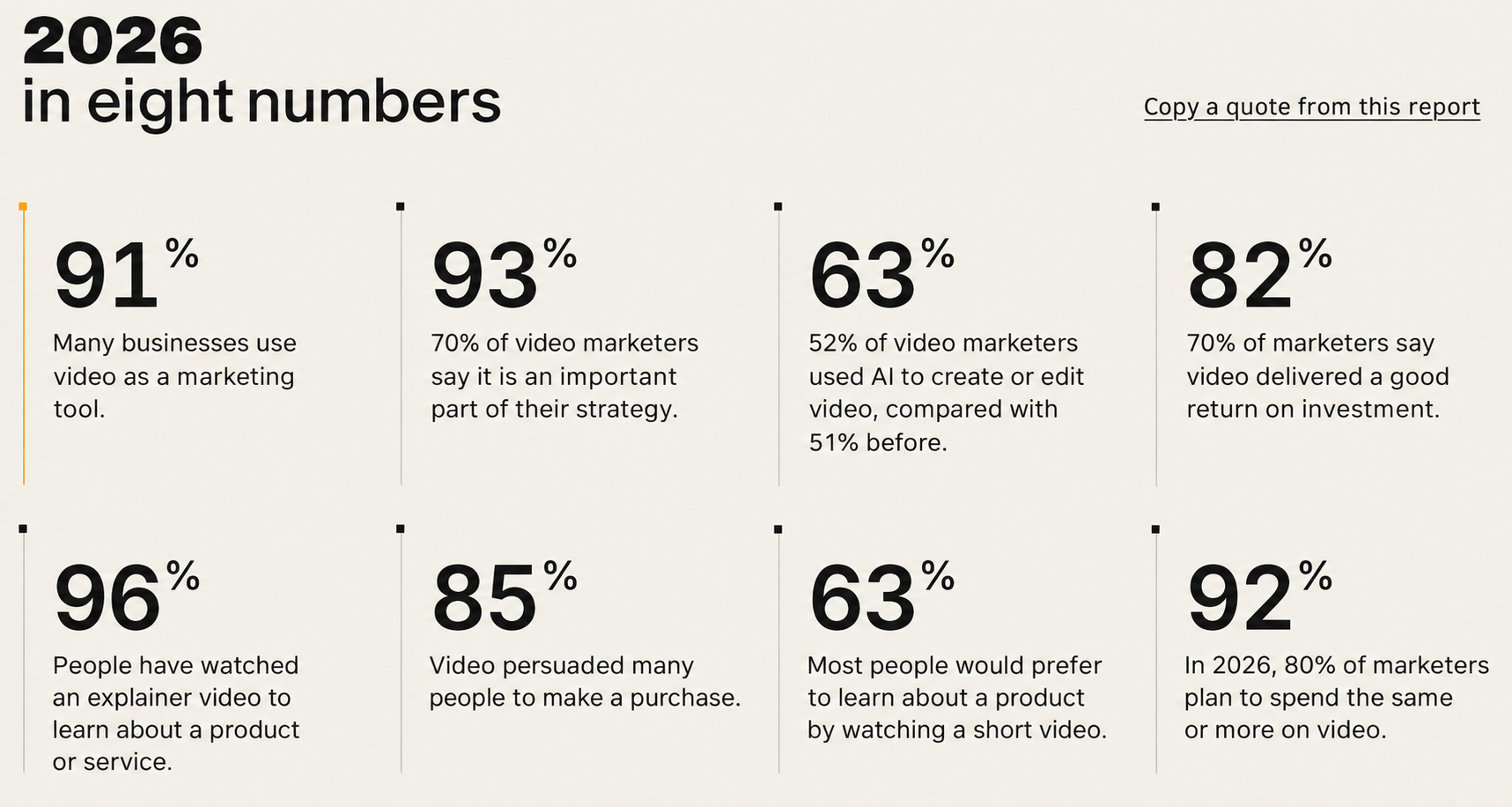
Video can persuade people to click a link or place an order without asking them to read a long pitch. That’s why more marketers are turning to video and keeping written copy for people who want more detail. Statistics support that trend. The chart below summarizes the report.
If you’ve seen AI-generated clips and want to understand how creators make them, start here. We’ll compare tools for producing videos that attract organic traffic, look at what they cost, and see how far you can get for free.
Can You Make AI Videos for Free?
Our conclusion: A free trial is useful for a quick test. In our experience, it won’t get you all the way to a commercial-quality video.
A free trial may give you enough credits for a few seconds of video to share with colleagues. A usable ad takes more resources, and you’ll usually need to edit the first result by hand.
Why is that: Generating text and generating video take very different amounts of work. Imagine a line of 100 workers producing words in sequence. For a five-second video at 24 fps, the model has to keep 120 frames consistent, including the lighting, shadows, poses, clothing, sound, and lip sync. A typical request might be 30 seconds at 60–120 fps in 4K or 1080p. The example is simplified, but it explains why video costs so much more to generate.
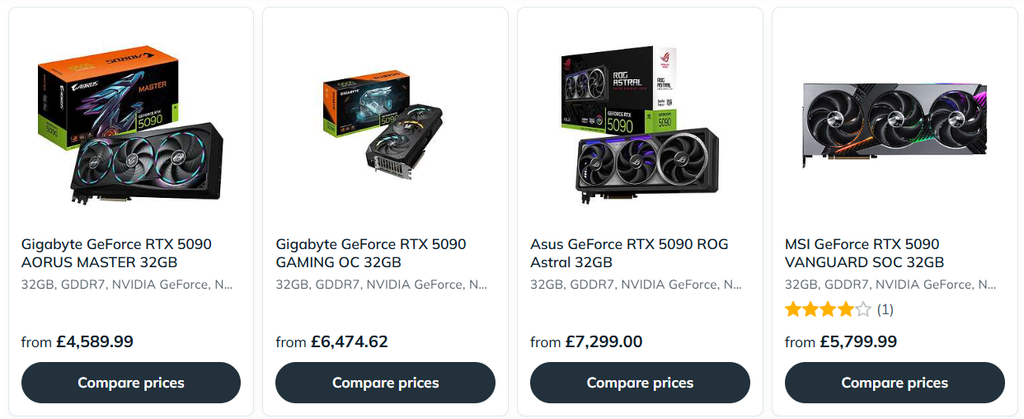
Running a model locally avoids paying per generation, but you still need a capable GPU, a processor, enough RAM, and an SSD. Start by looking at the cost of a graphics card suitable for video generation.
And don’t forget the RAM.
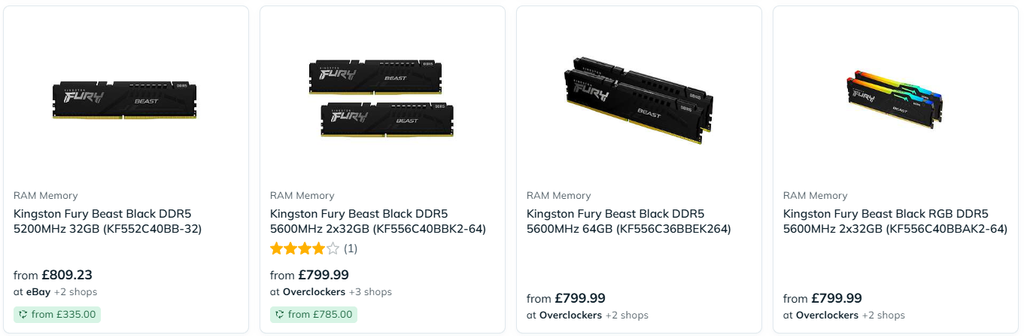
The GPU and RAM in this example alone come to roughly $8,300. Allow about another $2,000 for the rest, and you have a workstation that can generate 10–20 clips a day.
How to Pay for AI Video Tools
Veo, Kling, Seedance, Wan, and other models aren’t available in every country. For affiliates, the first question is how to get access.
The best option is to buy an official subscription. This way, the user keeps a history of generations, and the system has full context of the task. Plus, the affiliate knows exactly where their requests go and what resources process them. For this, focus on models like Wan, Seedance, Kling, and Google Flow. The last option has already been tested in practice (in Russian).
The budget option is to buy access through a service. We weren’t paid for advertising, so everyone chooses for themselves: there are dozens, if not hundreds, of such aggregators online. This might be a bit more cost-effective, but the user faces a lot of risks. For example, the service promises to work with one model, but actually sends requests to a cheaper one. Or it only passes part of the context, just what fits within the client’s budget. Plus, these guys add a markup for a convenient (or not so convenient) interface.
API access is the lowest-cost option in this comparison. Think of it as bringing your own ingredients and paying the chef to cook them. You pay for computing time instead of committing to a $20–30 subscription for a few test clips. An API request also lets you set options such as the watermark, generation seed, and prompt expansion. Writing a complete request by hand can be difficult when you’re starting out. The example below was prepared with AI assistance.
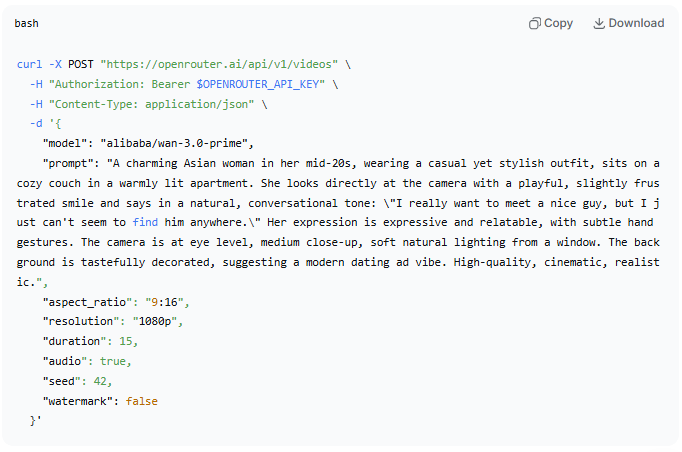
One drawback is that an API call doesn’t necessarily retain context. If the service doesn’t store your previous request, you generally can’t ask it to change one detail of the result in place.
Two Ways to Test AI Video Generators
It’s still tough to create a full storyline with a AI model—that’s not a task for beginners. But you can use neural video for more familiar scenarios, like showing emotions from winning or advertising a dating app with an attractive woman.
We tested two ways to create clips for organic traffic: a quick trial and a more complete campaign test. For each, we’ll explain the goal and the tools we used.
Try a Few Short Clips
Who it’s for: “I often see clips in Reels, Shorts, or TikTok feeds. I know they’re made with AI models, but the reach is impressive. Now I want to understand how it’s done and what resources it takes.”
Stack: We use the most basic option—trials of different AI models. PixVerse and Kling are good for this kind of start. We chose these because they let you try the interface and make a couple of generations for free. More advanced options like Google Flow or Kling aren’t as generous.
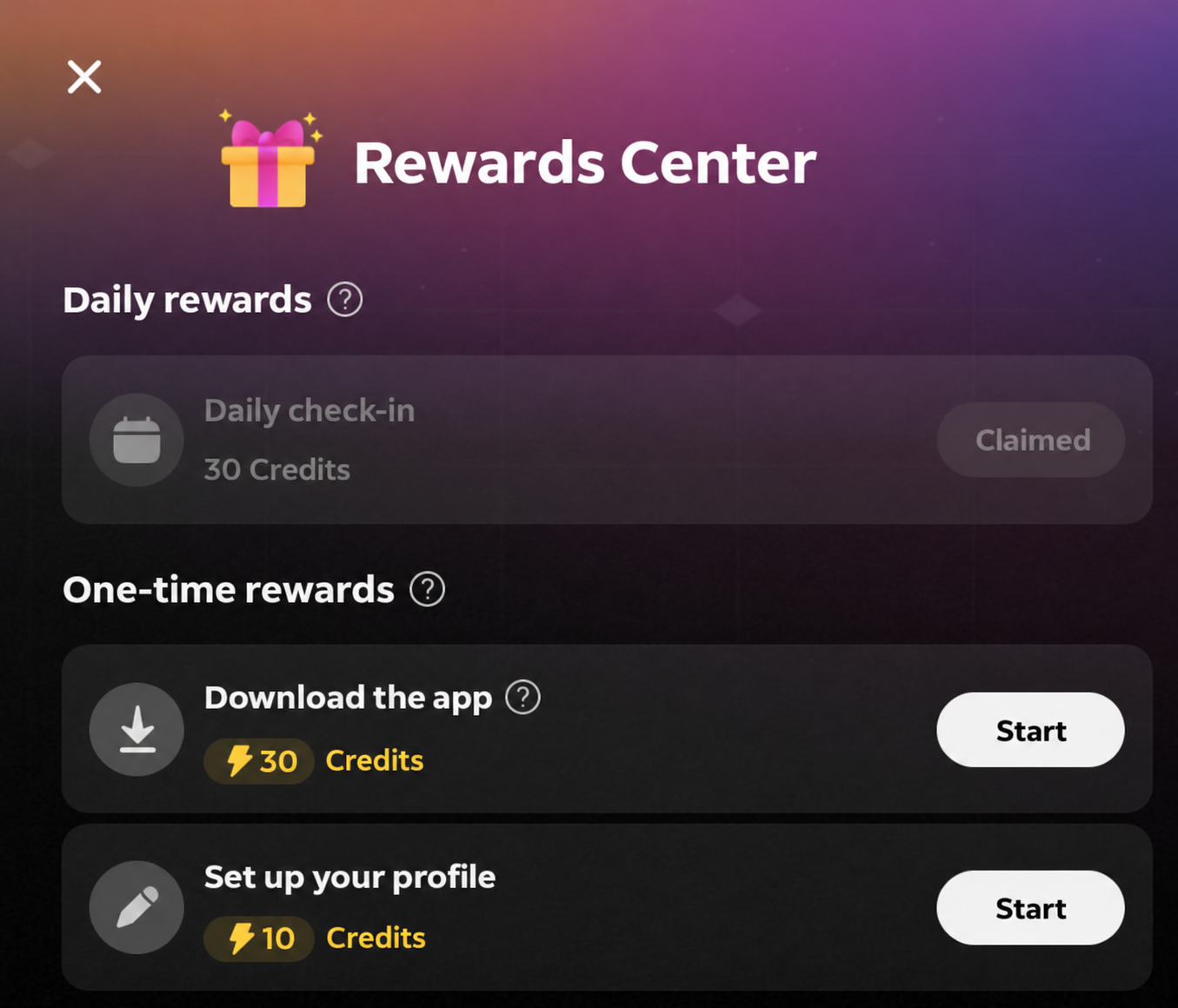
PixVerse. They generously give you credits right after registration—60 of them. And then they replenish over time.
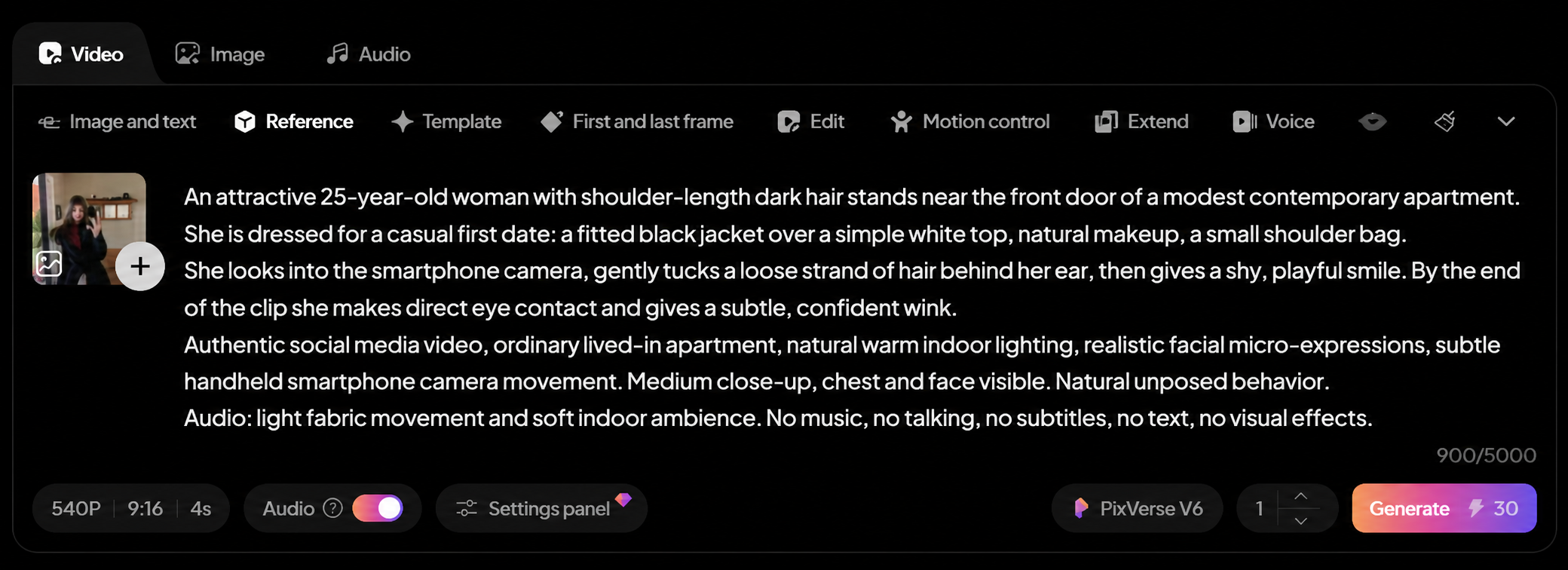
First, we’ll dig a bit into the documentation, then create a prompt:
| Five-second vertical 9:16 realistic selfie-style video, one continuous shot. An attractive 25-year-old woman with shoulder-length dark hair stands near the front door of a modest contemporary apartment. She is dressed for a casual first date: a fitted black jacket over a simple white top, natural makeup, a small shoulder bag. She looks into the smartphone camera, gently tucks a loose strand of hair behind her ear, then gives a shy, playful smile. By the end of the clip she makes direct eye contact and gives a subtle, confident wink. Authentic social media video, ordinary lived-in apartment, natural warm indoor lighting, realistic facial micro-expressions, subtle handheld smartphone camera movement. Medium close-up, chest and face visible. Natural unposed behavior. Audio: light fabric movement and soft indoor ambience. No music, no talking, no subtitles, no text, no visual effects. |
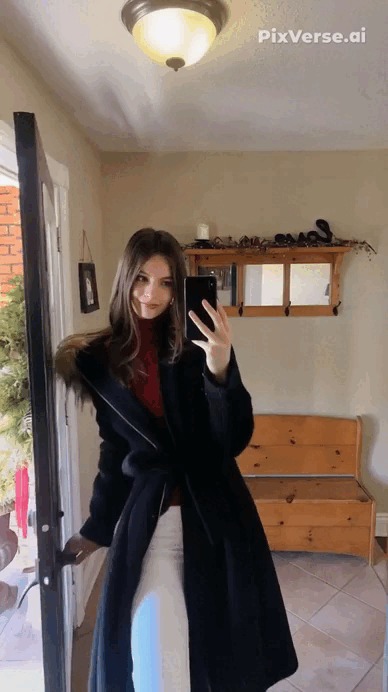
The idea is to create a short scene for a dating app ad. For the first generation, we’ll upload this prompt and add a reference: the model is Jordan McEwen.
PixVerse delivers the result in about a minute.
Theoretically, you could produce such scenes in a week, then add music, a brief app outro at the end, and the creative is ready.
Now we keep the prompt but remove the reference.
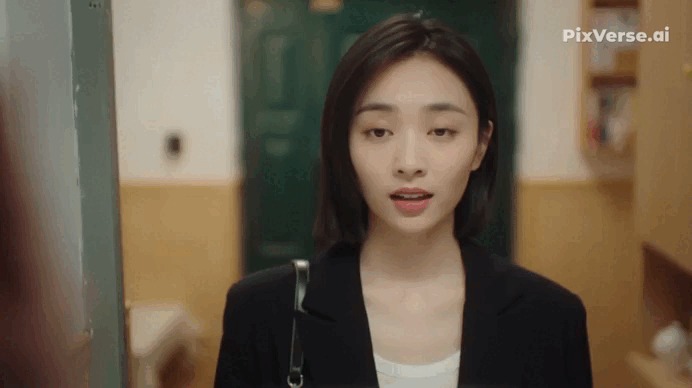
Interestingly, the system primarily looks at the parameters set in the interface, not in the prompt: in the text we requested 9:16, but in the settings window we set 16:9. Both videos have background noise, just as intended.
Now Kling. It doesn’t want a scene as input; it needs specific parameters and their values. There are plenty of guides on this topic online. As a result of natural and artificial intelligence, we get the following prompt:
| FORMAT: Exactly 6 seconds, vertical 9:16, one continuous POV shot. SUBJECT: A beautiful but natural-looking 26-year-old woman with dark brown hair, wearing a casual cream sweater. She is sitting alone at a small table in a cozy contemporary coffee shop, with a cappuccino in front of her. 0–1.5s: The woman waits quietly, looking toward the cafe entrance. Her expression is neutral and slightly expectant. 1.5–3s: She notices the approaching camera, representing the person she is meeting for a first date. Her face lights up with an authentic warm smile, her eyes showing recognition and excitement. 3–5s: Maintaining eye contact, she gently raises her coffee cup a few centimeters in a playful greeting and gives the viewer an inviting smile. CAMERA: Natural eye-level POV, slow and smooth forward movement toward the table, medium close-up by the end. No cuts or angle changes. STYLE: Photorealistic lifestyle footage, authentic human expressions, natural skin detail, soft window daylight, realistic cafe interior, shallow background depth of field. AUDIO: Quiet cafe ambience, soft cup clink, no speech, no background music, no subtitles or graphics. |
Paste it into the window and wait.
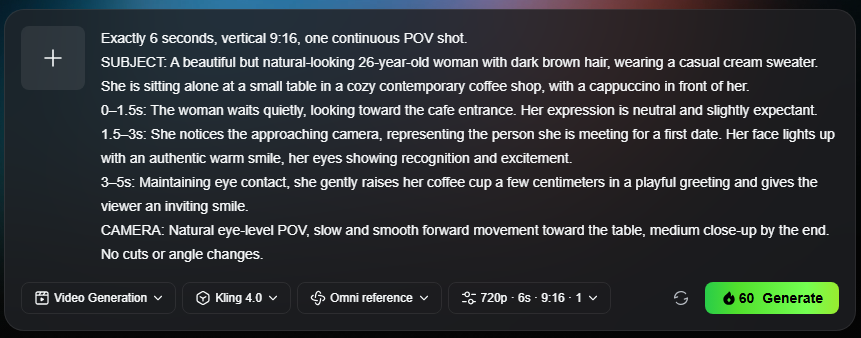
The account had a monthly allowance of 66 credits. In this test, Kling showed a price of 60 credits for a six-second clip. We used most of the allowance on one generation.
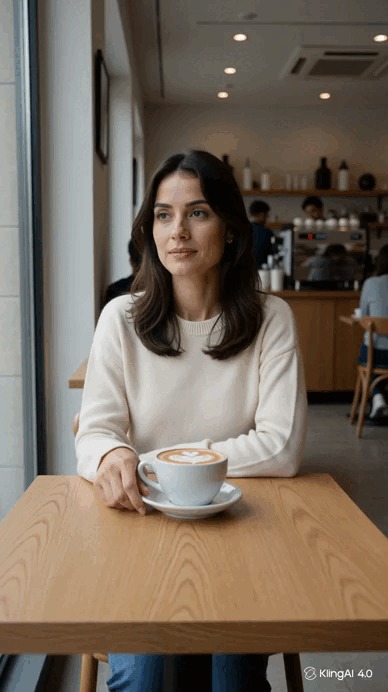
The service queued the request, so the clip took about five minutes. The result looked good, though it felt more like a film scene than a dating ad.
Test a Full Campaign Funnel
Who it’s for: “I’ve checked out references, thought up a couple of hypotheses. Already picked an offer and settled on sources. Now I just need to figure out which model fits best. Not planning to pay for just one subscription, but I don’t mind spending $20–30 to try different AI models and pick the best one.”
We paid for model access through OpenRouter. To compare the results, we gave three advanced models the same prompt:
| A 10-second ultra-photorealistic vertical 9:16 smartphone selfie video, filmed in one continuous handheld shot. A naturally beautiful 25-year-old brunette woman with shoulder-length dark brown hair stands near the front door of a modest, cozy Eastern European apartment. She is getting ready for her first date. She wears a stylish fitted black jacket over a simple white top, natural makeup, small earrings, and a black shoulder bag. The video feels like a spontaneous personal selfie recorded for a close friend. She holds the smartphone in her left hand, outside the frame. 0–2 seconds: She looks directly into the camera with a slightly nervous but excited expression, as if thinking about the date ahead. A tiny shy smile appears. 2–4 seconds: She gently brushes a loose strand of hair away from her face and tucks it behind her right ear. Her movement is relaxed and natural. 4–6 seconds: She adjusts the strap of her shoulder bag, takes a small breath, and smiles to herself, visibly gaining confidence. 6–8 seconds: She briefly glances toward the apartment door, then looks back at the camera with a playful expression, almost laughing at her own nervousness. 8–10 seconds: She gives the camera a warm, charming, confident smile, followed by one subtle, natural wink. She then takes a small step toward the door, as if finally leaving for her date. CAMERA: Natural front-facing smartphone perspective, medium close-up showing her face and upper body. Very subtle handheld movement. Her face stays clearly visible. No cuts, no zooms, no camera angle changes. VISUAL STYLE: Authentic TikTok-style footage, natural skin texture, realistic pores and minor imperfections, believable facial micro-expressions, soft warm apartment lighting, ordinary lived-in interior. No cinematic glamour. MOVEMENT: Smooth natural human gestures, realistic eye movement, physically accurate hands, consistent facial features and clothing throughout the entire video. No speech, no subtitles, no on-screen text, no logos, no beauty filters, no background music, no exaggerated expressions, no artificial visual effects. |
We deliberately do not add captions. Based on the AI model results in the screenshot below, we get this kind of result.
We liked Kling’s output the most. That’s why we decided to test it separately. We load a prompt that should generate a full 15-second storyline:
| 15-second photorealistic vertical 9:16 social media video. One continuous shot inside a cozy, modest Eastern European apartment at evening. A naturally attractive 25-year-old brunette with shoulder-length hair, realistic skin and light makeup is preparing for her first date. She wears a fitted black jacket over a white top, small earrings and a black shoulder bag. Warm indoor lighting. A front door is clearly visible behind her. 0–4s: Standing by the door, she nervously straightens her jacket, tucks her hair behind one ear and checks her appearance. She smiles shyly, then takes a small calming breath. 4–8s: Her smartphone vibrates. She glances at its screen, smiles with genuine excitement and lowers the phone. The screen is not visible to the viewer. 8–11s: The doorbell rings. Surprised and happy, she looks toward the door, adjusts her bag and opens it. 11–15s: A friendly 27-year-old man in a gray coat stands outside, holding a small bouquet. He smiles and offers the flowers. She accepts them and laughs warmly. They exchange a shy, happy look. Camera: Natural smartphone-style footage from a fixed position inside the hallway, medium-wide shot showing the woman and front door. Subtle handheld feel, no cuts. Natural real-time pace, believable facial expressions, realistic hands, consistent faces and outfits. Ordinary lived-in apartment, no glamour filters. Audio: soft phone vibration, doorbell, quiet indoor ambience and natural laughter. No dialogue, music, subtitles, text or logos. |
If you ignore small details like the smile, the result turned out quite good.
Finally, let’s test Wan 3.0 Prime. This is Alibaba’s newest model, which can generate videos up to 30 seconds in one go. Some practitioners are already creating (in Russian) pretty convincing content with it. We’ll assign it a full storyline in Russian with captions over the video.
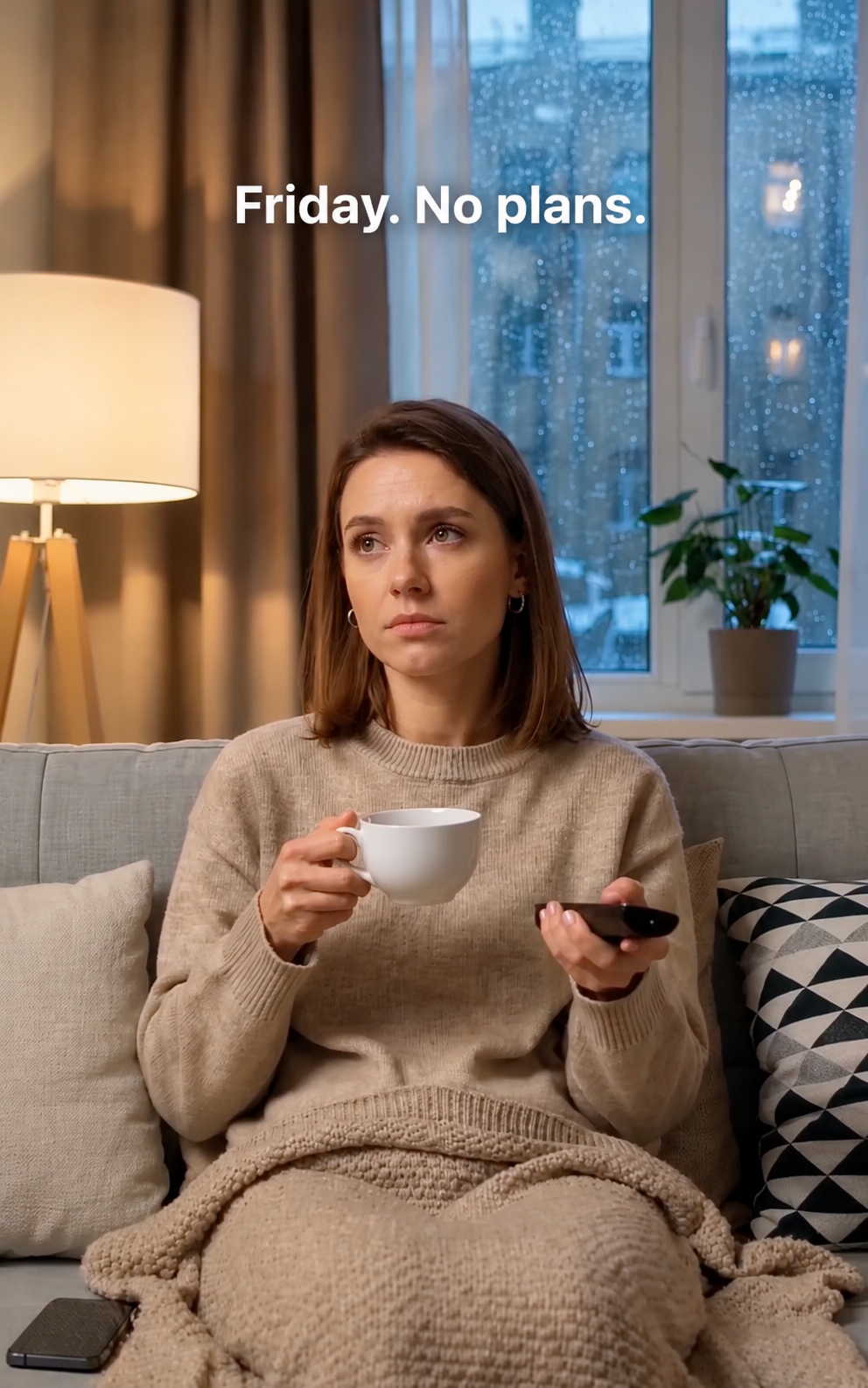
| 30s vertical 9:16 photorealistic Russian ad for “Dating App”: six 5s shots, clean cuts, authentic TikTok/Reels style, ordinary Eastern European city, warm light, romantic humor. One consistent heroine: brunette 25, shoulder-length brown hair, natural makeup, silver earrings. At home beige sweater; on date white top, black jacket, small bag. Man: friendly 27, short dark hair, gray coat. SHOT 1 [0-5s] HOOK: Modest apartment at dusk, lamp, rainy window. Handheld medium shot: she sits alone on sofa with tea and TV remote, looks bored, picks up phone. TOP TEXT: “Пятница. Планов — ноль.” Female Russian VO: “Пятница. А у меня опять сериал.” SHOT 2 [5-10s] CURIOSITY: Over-shoulder phone shot, screen unreadable, no fake UI. She scrolls; close-up as curiosity replaces boredom. TEXT: “Решила попробовать Dating App”. VO: “Зашла в Dating App просто посмотреть.” SHOT 3 [10-15s] MATCH: Phone buzzes. Close-up: she reads, raises eyebrows, tries not to smile, then laughs happily. Slow push-in. TEXT: “Взаимная симпатия!” VO: “И вдруг — взаимная симпатия!” SHOT 4 [15-20s] PREPARATION: Cut to hallway mirror. Same woman now in white top, black jacket. Puts on shoulder bag, tucks hair behind ear, exhales, smiles nervously. TEXT: “Кажется, у меня свидание”. VO: “И вот я уже собираюсь на встречу.” SHOT 5 [20-25s] MEETING: Modest city cafe at blue hour, wet pavement, golden windows. Medium shot: man waits with two coffees, sees her and raises one cup. She approaches, smiles. TEXT: “Встречаемся вживую”. VO: “Он оказался ещё милее вживую.” SHOT 6 [25-30s] END: First 2s: inside cafe, both laugh over coffee, two-shot. Last 3s: cut to solid deep violet title card. EXACT three centered white lines: “Dating App” “Знакомься. Общайся. Встречайся.” “Попробуй сейчас” VO: “Dating App. Начни свою историю.” AUDIO: one friendly female Russian narrator, natural pronunciation, upbeat soft instrumental below voice; phone vibration and cafe ambience; characters silent. EDIT: natural smartphone footage, realistic skin, hands, eye contact, expressions; stable faces and clothes, no glitches or extra people. Overlay only specified readable Cyrillic text, clean sans-serif, away from faces; no watermarks or extra text. |
The model worked for 6 minutes, and generation cost almost $10 – clearly not an option for quick tests. You can see the result here (in Russian). It’s better to add captions yourself in CapCut, and do the voiceover, for example, in HeyGen.
Where to Start
If you prefer to use an official service and keep your generation history in one place, start with a PixVerse or Kling subscription and practice on short clips.
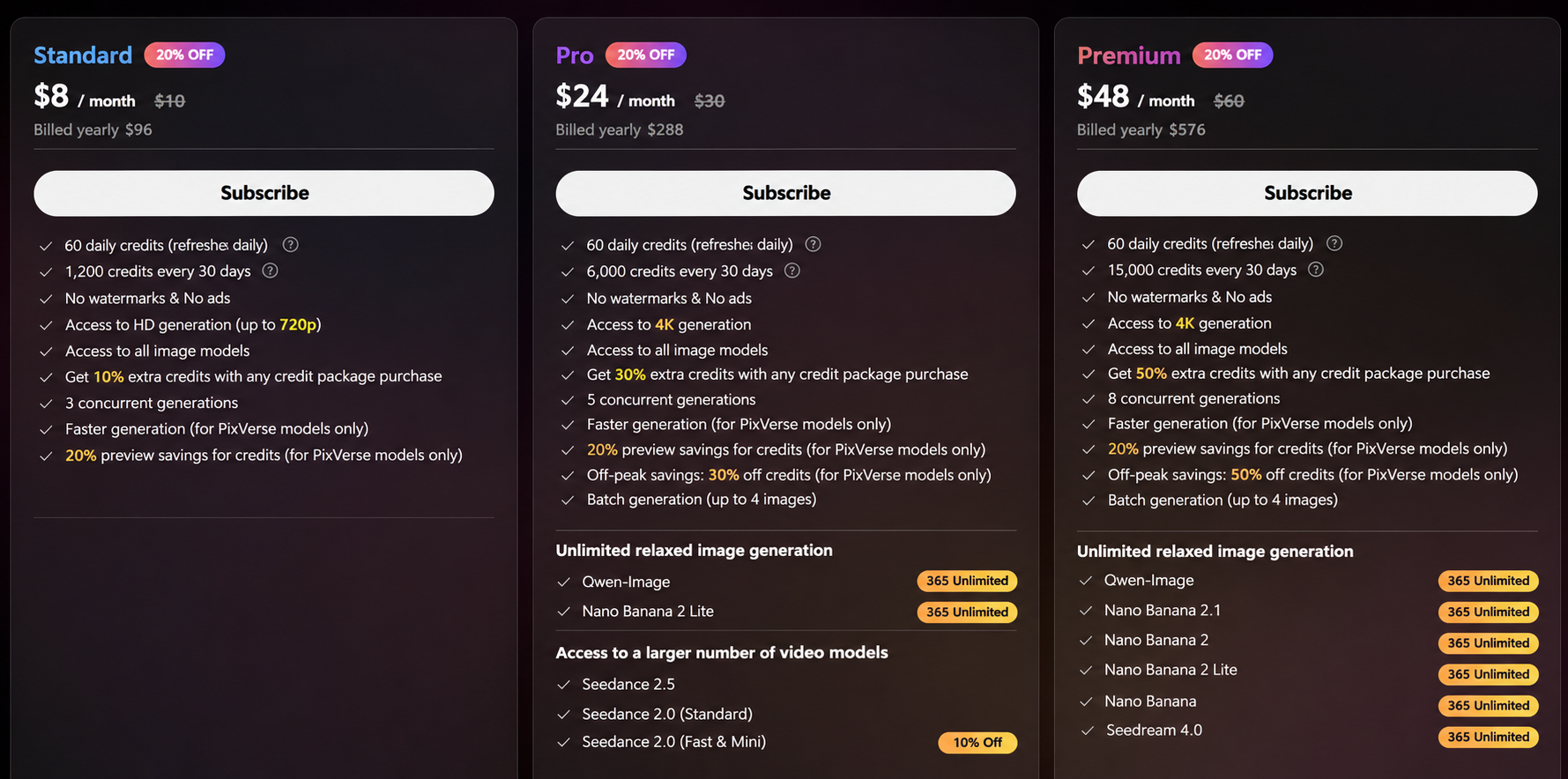
Besides that, you can take another route – generate photos and animate them. You can see live references here. Practice shows even these creatives bring good organic traffic, though short animations can barely be called video.

Comments (0)