

Meet Dan, a solo media buyer. Yesterday, he launched 40 creatives across three GEOs with a test budget. This morning, Ads Manager shows 3,800 clicks and plenty of spend. His affiliate network reports 12 conversions and some revenue.
The problem is the gap between those two sets of numbers. Neither platform can answer the one question that now has a price tag attached to it: which of the 40 creatives generated those 12 conversions, and which ones simply burned through the budget?
There is no shortage of data. It is just scattered across six browser tabs, and nothing has tied it together yet:
- The ad account knows about the clicks, but not the deposits.
- The affiliate network knows about the deposits, but not which ad brought in each player.
- Google Sheets only has the data Dan managed to enter manually at 3 a.m.
So what is the fix?
An affiliate tracker: the place where spend finally meets revenue, so you can see where results came from, what to cut, and what to scale. In performance marketing, a tracker is one of the first pieces of infrastructure worth setting up once your campaigns become complex enough. Without it, even a winning setup is difficult to analyze or reproduce.
Below, we will look at what a tracker does, when you need one, when you do not, what it costs, and how to choose your first platform.
What Is an Affiliate Tracker?
A tracker sits between your ads and the offer, recording every click that passes through it.
The flow usually looks like this:
- A user sees your ad and clicks it.
- Instead of going directly to the offer, the click first passes through the tracker.
- In a fraction of a second, the tracker records the click data: country, device, operating system, browser, traffic source, and specific creative.
- The tracker immediately sends the user to the destination page.
- The user registers or makes a payment.
- The affiliate network sends the conversion back to the tracker.
That last signal is called a postback: a server notification confirming that a conversion occurred. Think of it as the receipt issued after a customer completes a purchase.
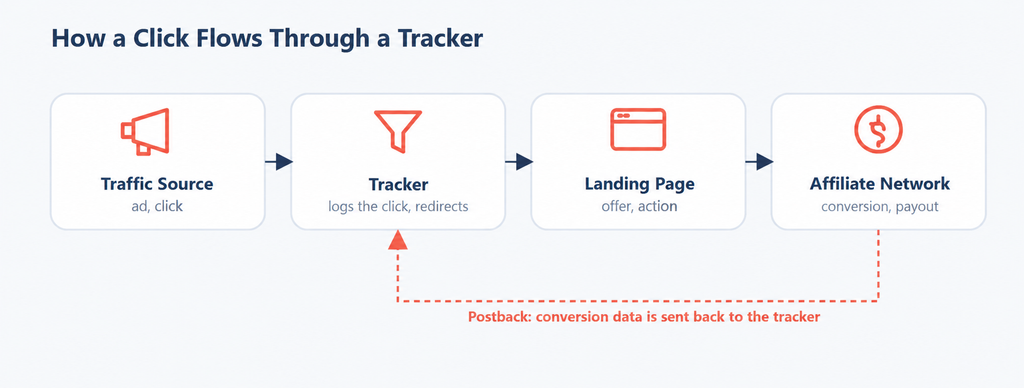
As a result, you get an end-to-end picture that no single tab could give you: this click from this creative in this GEO turned into this deposit. David finally sees not just two disconnected numbers, but the whole chain—and can make decisions based on data, not just gut feeling.
How a tracker is different from a TDS
These two terms often go together, and they can be confusing for beginners.
TDS (traffic distribution system) does one very important thing: it distributes clicks according to rules. Mobile traffic goes here, desktop traffic goes there, Germans get the German landing, the rest of the world gets the English one. Basically, it’s a smart traffic switchman.
A tracker does all the same things plus tracks money: it routes traffic flows and records what each of them turns into.
Previously, TDS was separate software, and you really had to choose between a TDS and a tracker. Today, traffic distribution is just one of the features inside any decent tracker, and arguing “tracker or TDS” in 2026 makes about as much sense as choosing between a smartphone and a basic phone.
Who uses it and why
A tracker isn’t for everyone — it’s for those who buy traffic and need to track it. A solo affiliate uses it to find a profitable combo among dozens of tests. A team uses it to keep all its stats in one place, while buyers work with roles and permissions instead of sharing ad account passwords. SEO specialists with site networks run thousands of pages through a tracker. Affiliate networks use it to monitor who is sending them what kind of traffic.
The profession of “tracker specialist” exists on its own—people build businesses, run streams, and charge for setting up and integrating Keitaro. Grigory, Keitaro’s Head of Sales, describes the tool’s status in a Partnerkin interview without false modesty: for an affiliate, a tracker is like Figma for a designer or a framework for a developer—a basic skill, without which you simply won’t get invited to a webmaster job. He’s supposed to praise his product, but he’s not exaggerating about the job market: open any affiliate job board and “experience with Keitaro” is a standard requirement for webmasters.
He also notes a detail that separates amateurs from pros: a newbie who loses money usually just quits, while an experienced webmaster breaks down the loss in detail. Those “details” live inside the tracker. Without it, a loss is just a loss. With it, a loss is a diagnosis: wrong GEO, wrong device, wrong landing.
When you don’t need a tracker
Now for what tracker vendors usually skip. Not everyone needs a tracker all the time, and presenting it as a must-have for beginners only adds confusion.
David has a coworking neighbor who runs one combo through one affiliate network. One offer, one source, one GEO. He doesn’t need a tracker: the affiliate network provides stats via SubID (tags passed in the link that show where the traffic came from), and that’s enough to understand what’s going on. Adding another tool on top is like buying a truck to bring home a carton of milk once a week.
You can safely skip the tracker if:
- You have one combo and one network. SubID and the network’s built-in stats cover about ninety percent of your needs.
- Traffic stays within a single ecosystem. If you’re running traffic from Facebook and tracking everything with the Facebook pixel, a separate tracker is unnecessary for now.
- You’re at the “testing a niche with a hundred dollars” stage. First, find a working combo, then build the infrastructure around it—not the other way around.
- You’re doing pure SEO without paid traffic. If you have no expenses to match against income, there’s nothing to track yet.
The rule is simple: you need a tracker when the cost of not knowing exceeds the cost of a subscription. As long as your “blindness” costs you less than forty euros a month, paying the same forty to see clearly makes no mathematical sense. Once being blind costs more—get a tracker.
Types of Trackers
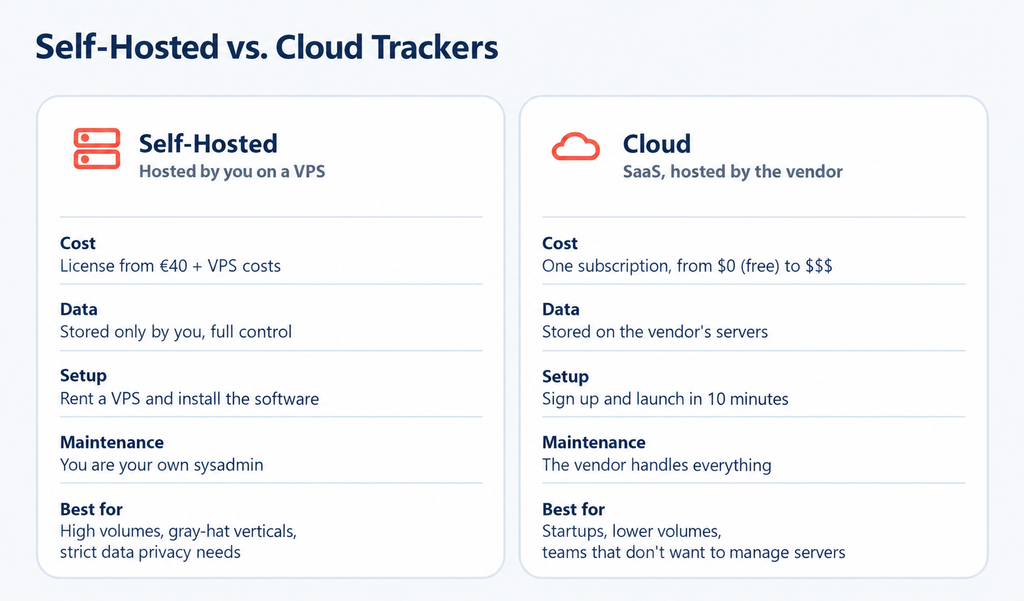
All trackers fall into two major camps, and the difference isn’t in their features but in where your data lives and who manages the server.
Server-based
A server-based tracker (also called self-hosted) is installed on your own VPS—a rented virtual server. You pay for the software license and the server separately, and in return, you get full control: the data is stored only with you, redirect speed depends solely on your hardware, and no outsider can peek into your stats or ban you at their discretion.
The price of this freedom is that you’re your own sysadmin. Updates, backups, security, a server crashing in the middle of the night—it’s all on you. The classics here are Keitaro and Binom. The server-based option is chosen when volumes are high, verticals are gray, and the question “Where is my data stored?” is met with the industry’s usual paranoia.
Cloud
A cloud tracker (cloud, SaaS) works on a “sign up and go” model. No server is needed, there’s nothing to install, and the vendor hosts everything—you just log in through your browser and start running traffic in ten minutes. You pay as you go; stop paying, and access is cut off. Examples: RedTrack, BeMob, Voluum, PeerClick.
| The difference between server-based and cloud is like owning an apartment versus staying in a hotel. In a hotel, you can move in within an hour, your towels are changed for you, and the electrician fixes the lights. But your stuff is on someone else’s property, and you can’t just leave quietly with all your belongings—the data belongs to the owner. In your own apartment, everything is yours and no one can evict you, but you’re also responsible for the plumbing. Like most beginners, David starts with the hotel—he doesn’t have his own place yet and has no time to manage it. |
There’s also a third option that is often discussed in 2026: some webmasters don’t buy a ready-made tracker at all but build a custom one using AI agents. That’s a separate topic and not for beginners—we’ve already covered it in detail in our article on tracker vibe-coding. It’s definitely not an option for starters: first learn to drive, then build your own car in the garage.
Tracker Pricing
This is where we get into specific numbers—the kind of details most reviews lack. All prices are current as of August 2026, and I’m including links to official pages—rates can change over time.
Server-based
You pay in two parts: license plus server.
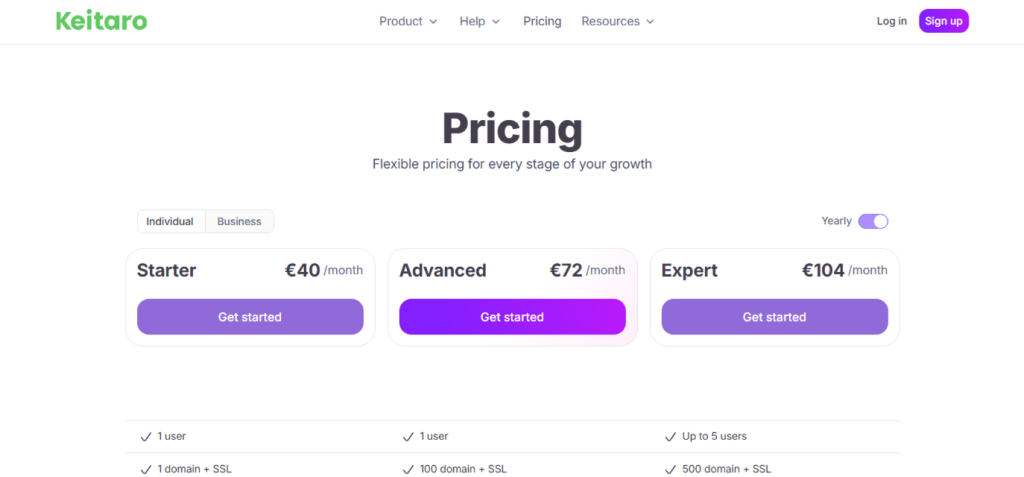
- Keitaro: from 40 euros per month for the Starter plan with annual payment, 72 for Advanced, 104 for Expert. The difference is in the domain limit (1 / 100 / 500).
- Binom: 149 dollars per month or 104 if paid annually for a self-hosted license—no click limits at all, you pay a fixed amount even for a billion clicks.
- On top of the license—VPS. That’s another 5–15 dollars per month, and this line is often forgotten in calculations, but it’s there.
Cloud-based
You pay a single amount, usually based on event volume.
- BeMob: has a free plan forever—100,000 events per month and one month of data storage. Paid plans start at 49 dollars (Professional, one million events) and go up to 499 (Enterprise).
- RedTrack: from 69 dollars per month for Builder with two million events, going up to enterprise tiers.
- Voluum: from 119 dollars per month for Profit (one million events, 20 campaigns)—this is already in the upper price segment.
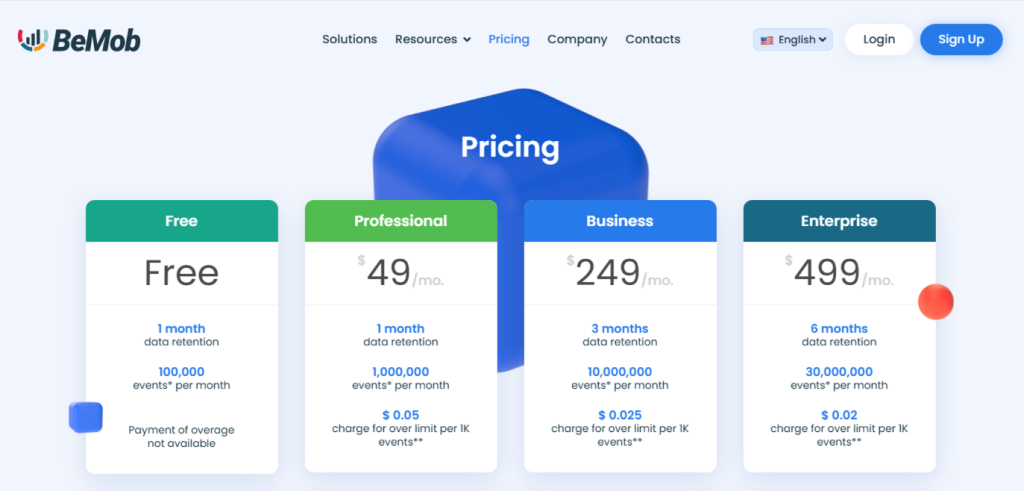
A separate note about the word “free,” which everyone loves to slap on every landing page. Truly free trackers exist, but with caveats:
The BeMob free plan is real, but it has an event ceiling. Almost everyone offers 14-day trials, but that’s a test drive, not a free tracker. Open-source and custom-built options don’t charge for a license, but they cost you time and server expenses. There’s no tracker that handles real volumes and asks for absolutely nothing in return — David already tested that with his own budget.
How to connect a tracker
Let’s say you’ve chosen one and paid. What’s next? The general launch process is the same for all trackers; only the interface details differ:
- For a cloud tracker, the process is short: register, add your traffic source, add the affiliate network (and insert the postback URL so conversions are sent back), create a campaign, get the tracking link from the tracker, and place it in your ad account instead of the direct offer link.
- For a self-hosted tracker, the process is the same, but first you rent a VPS and install the tracker using the auto-installer—usually a wizard that takes just a few clicks, not the hassle of manual configuration.
| The first setup will take 30–60 minutes; after that, each new campaign will take about five minutes. The main thing is not to mess up the postback — that’s where most people stumble. |
Here’s what it looks like in real life: after launching a test, Dima saw zero registrations and zero deposits in the tracker the next morning, while the affiliate network showed five registrations, a deposit, and a 100% ROI, as affiliate marketer Dima Leto reported in a Russian-language post on his Telegram channel. He started digging—the postback had been set up from another account. He needed to change one tag from sub8 to sub5 but missed it because he was setting everything up at night. Traffic was flowing and money was coming in, but the tracker couldn’t see anything because of one digit in one link.
Tracker Features
Next, let’s look at the questions the tracker answers instead of your Google Sheet. Each report closes a specific gap in your understanding of where your money comes from or leaks out.
Campaign Analytics
This is the main screen, the reason for it all: spend versus revenue for each campaign in one table. ROI (return on investment), CPA (cost per action), CR, CTR, EPC—the tracker calculates and summarizes all the key metrics. Instead of six tabs and a calculator, Dima has one row that instantly shows whether the campaign is in profit or loss.
Landing Page Analytics
The tracker can split traffic between multiple landing pages and show which one converts better. This is a split test (A/B test): you upload two landing page variants, the tracker automatically splits the traffic 50/50, and after a day or two, it shows which landing page or pre-lander brings in more money. Instead of endless guessing and “I think the blue button is better than the red one,” you get conversion numbers.
Offer Analytics
You can send the same traffic to different offers and affiliate networks, and the tracker will show where the returns are higher. This is also where offer rotation and trafficback come in—a feature that catches traffic that doesn’t fit the main offer (for example, a user from a GEO the offer doesn’t accept) and sends it to a backup so the click isn’t wasted. It’s a small thing, but at scale, it adds a noticeable percentage to your profit.
Traffic Source Analytics
The tracker breaks down stats by sources, zones, and placements. This is especially important for push and teaser traffic, where you get thousands of small placements of varying quality. If you see a specific zone draining your budget without conversions, add it to the blacklist, and the tracker stops sending traffic there.
Click Analytics
The deepest level is the click log, where you can see the passport of each individual click: IP, GEO, device, OS, time, and whether the click is unique or a duplicate. This is also where bot filters and anti-fraud tools are built in—the tracker weeds out junk and suspicious traffic so you don’t pay for bot clicks. Triggers also work at this level—auto-rules like “if the campaign ROI drops below zero in the last hour, stop it and send me a notification in Telegram.” Plus, there’s an API for those who want to pull data and build their own dashboards.
Under the Hood: Macros, Postback, and No-Redirect
A bit of tech—just enough to avoid common pitfalls during your first setup.
How does the tracker know which ad the click came from? From macros—variables that the traffic source inserts into the link when it is clicked: campaign ID, creative ID, placement, GEO. The tracker reads these parameters and assigns each click its own clickid—a unique number used to identify it later. When the affiliate network sends a postback, it returns that exact clickid to the tracker: “this number converted.” That’s how the chain closes.
Two ways to send a conversion. The reliable one is S2S postback (server-to-server): the affiliate network’s server pings the tracker’s server directly. It works independently of the user’s browser. The old method is a pixel—a snippet of code on the “thank you for your purchase” page. It gets blocked by ad blockers and browser restrictions, so by 2026, wherever there’s a choice, S2S is the way to go.
Redirect or no-redirect. The classic setup involves a click passing through the tracker’s domain via a 302 redirect. It takes a minute to set up, but it has two downsides: extra milliseconds during the transition (on cheap mobile traffic, some clicks get lost along the way) and visibility to moderation. Google explicitly forbids domain and chain manipulation to bypass review—this is described in its ad network abuse policy, and a redirect to a non-matching domain is a red flag for its systems.
That’s why no-redirect tracking is used for Google Ads and Facebook: the ad contains a direct link to the landing page, and a script on the page sends data to the tracker. Neither the user nor moderation sees a redirect, but the stats are still collected. All major trackers in the list below support this—just look for “no redirect” or “LP pixel” in the documentation when setting it up.
Top 5 Trackers 2026
Disclaimer one: there’s no universal “best” tracker. There’s one that fits your needs, volumes, and level of technical paranoia. Below are five proven market veterans, along with their pricing and specifics. But you’ll still have to pick the best tracker for yourself—the one you’ll keep paying for after the trial ends.
Disclaimer two: all prices and plans are current as of the article’s publication.
Keitaro — the server-side industry standard
A self-hosted tracker that has become the de facto industry standard: integrations and guides are written for it, and it often appears in job requirements. It costs from €40 to €104 per month with annual payment—the higher the plan, the higher the domain limits and the greater the access to advanced features.
Strengths. Cloaking is built in out of the box. It has its own GEO database, integrations with Facebook, Google Ads, TikTok, Cloudflare, and domain registrars, as well as an API and a landing page editor—though integrations and API access are split across plans, and the best features are only available on Expert.
The whole industry revolves around Keitaro: any problem has likely already been solved on the forum, and there’s a ready-made postback template for any affiliate program. For gray verticals, this is crucial—there’s no need to reinvent the wheel.
Weaknesses. It’s server-based, which means installation, updates, and admin panel security are on you. For a complete beginner, the barrier to entry is higher than with a cloud solution. And there’s a separate issue—reputation: due to its popularity, Keitaro became caught up in a high-profile story in 2026.
Researchers from Infoblox and Confiant analyzed how it was used to hide fraudulent schemes: over four months—from October 2025 to January 2026—they found about 15,500 domains on malicious instances, hiding everything from investment scams to bank card phishing, and The Hacker News counted over 120 separate campaigns in this story.
| The tracker itself isn’t to blame—when a tool becomes the standard, it’s used by people you wouldn’t want to share a report with. The developers cooperated with the researchers, but the aftertaste remains. |
Who it’s for. Those who already have volume, work with gray verticals, and need to keep all their stats in-house. For a first tracker, it’s often overkill (though many would disagree).
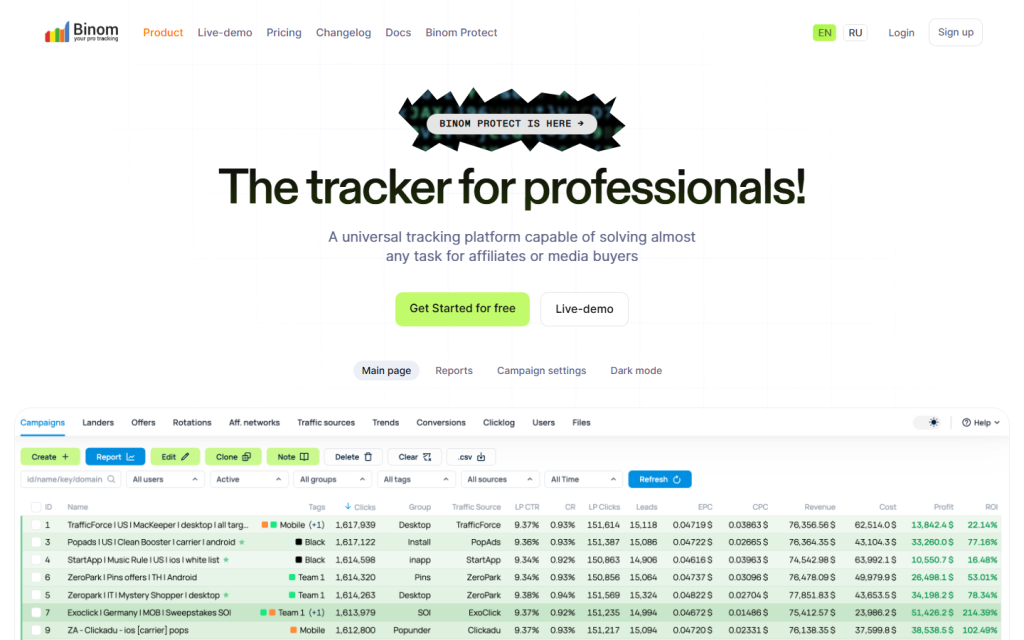
Binom — server-side tracker for high volumes
The second heavyweight server tracker and Keitaro’s main competitor. The license costs $149 per month or $104 with annual payment, with a pricier cloud option available. The key feature: you don’t pay per click—just a fixed fee, even for a billion visits—and Binom handles up to 260 million clicks per day. Unlimited users, domains, and data storage—forever.
Strengths. Processing and redirect speed—that’s why it’s chosen for high volumes, where every hundred lost clicks means lost money. Binom Protect provides anti-bot protection (detecting bots, VPNs, and iOS emulators)—though it’s a separate product starting at $69 per month. And in spring 2026, Binom added automatic migration from Keitaro—a telling move in a market where competitors are fighting for each other’s clients.
Weaknesses. Like Keitaro, it requires a server and someone to set it up. The entry price is higher than its competitor’s, and full anti-bot protection costs extra. For beginners without volume, there’s no reason to overpay.
Best for. Media buyers and teams with high traffic, where speed and a predictable bill—not tied to the number of clicks—matter most.
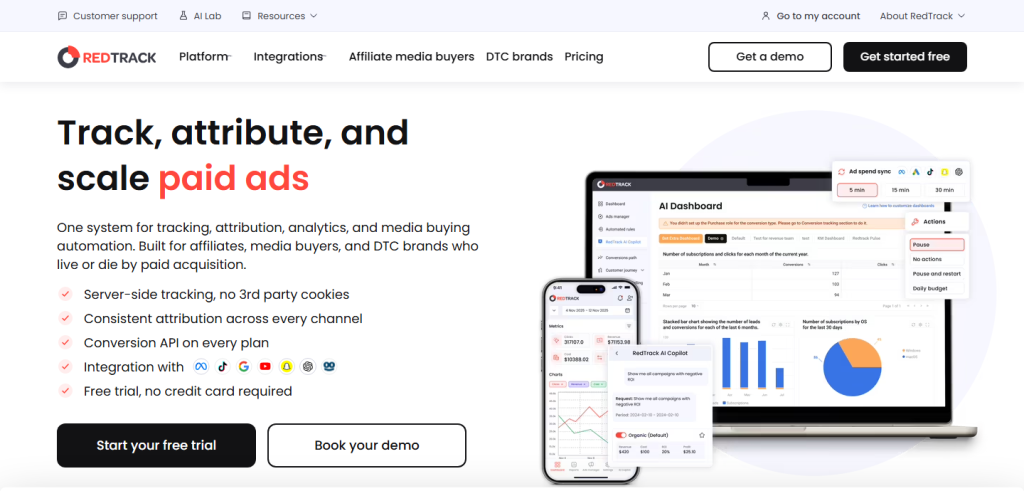
RedTrack — cloud with integrations and CAPI
The first cloud tracker on the list—no server is needed, and everything runs on the vendor’s side. Plans start at $69 per month for Builder (two million events), followed by Solo, Team, and Enterprise for growing volumes and user numbers. 14-day trial.
Strengths. The main feature is server integrations and CAPI (sending conversions directly from the server to ad accounts, bypassing the browser): for white-hat Facebook and Google campaigns, this is almost a must-have now, and RedTrack covers it out of the box. Plus, it has a dedicated e-commerce and brand solution with free server-side conversion sending—so the tracker isn’t just for arbitrage, which speaks to the product’s maturity.
Weaknesses. Pricing is tied to event volume and grows with it, and some handy add-ons (faster spend sync, automation) cost extra. For truly gray verticals, the cloud is always someone else’s territory, governed by their rules.
Best for. Solo users and teams working with white or gray traffic who need ready-made integrations and CAPI without the hassle of managing a server.
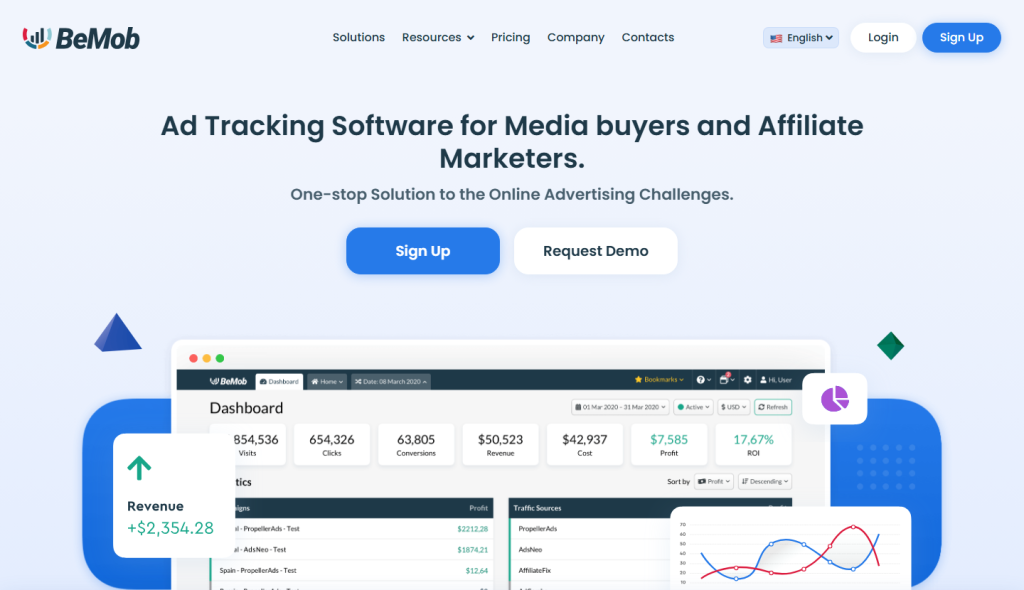
BeMob — cloud with a live free plan
The main contender in the “free solutions” category. BeMob offers a forever-free plan—100,000 events per month, ten campaigns, and one month of data storage, with no card or payment required. Then come the paid plans: Professional at $49 (one million events), Business at $249, and Enterprise at $499.
Strengths. A genuinely free entry point, a Russian-language interface, and a simple, fast start—the perfect sandbox for understanding tracker mechanics without spending a dime. That’s exactly where people like our David usually begin.
Weaknesses. Free comes at a price: on the free and even the entry-level Professional plan, you can’t connect your own domains—neither for tracking nor cloaking (these unlock only with Business at $249). Advanced bot filtering (crawler, proxy, and webview detection) is also reserved for higher tiers, and storage on lower plans is limited to just one month. So, as a launchpad, it’s great, but for serious setups or large volumes, you’ll hit the ceiling and have to move on.
Who it’s for. Beginners and anyone who wants to try a tracker for free, as well as those running small volumes in white-hat verticals.
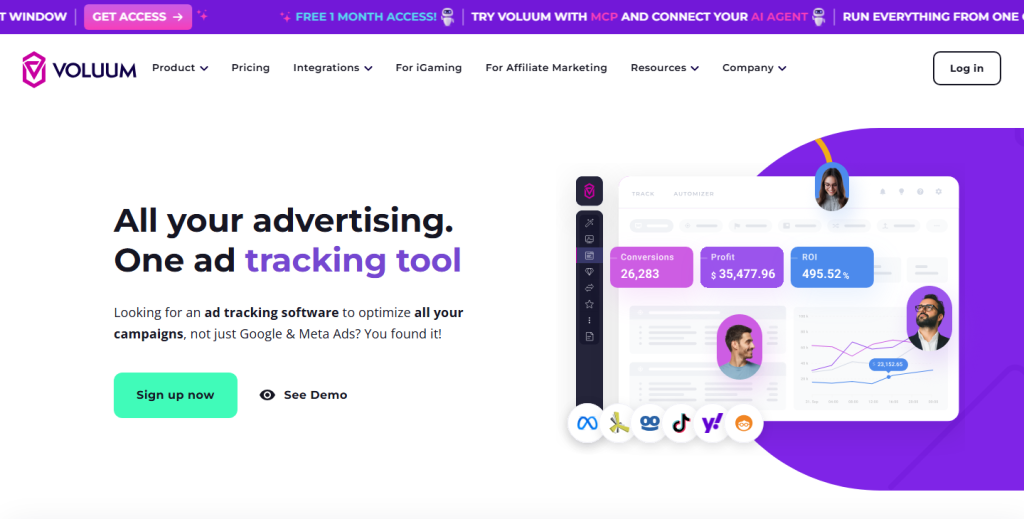
Voluum — cloud-based enterprise classic
One of the oldest and most renowned cloud trackers. It starts at $119 per month for the Profit plan (one million events, but only 20 campaigns), while full-featured team plans cost much more—this is the premium price segment of the market.
Strengths. Deep analytics, anti-fraud tools, integrations with dozens of sources, and most importantly, built-in automation: rules that automatically adjust bids, pause unprofitable campaigns, and reallocate budgets without your involvement. Essentially, it’s not just a tracker but a media buying control center for those running big budgets.
Weaknesses. It’s expensive, and you feel it at every step: the entry plan is limited to twenty campaigns, you pay extra for event overages, and the best automation features sometimes come with separate price tags. For a solo beginner, it’s overkill.
Who it’s for. Teams and agencies that need a premium enterprise tool with automation and are willing to pay for it.
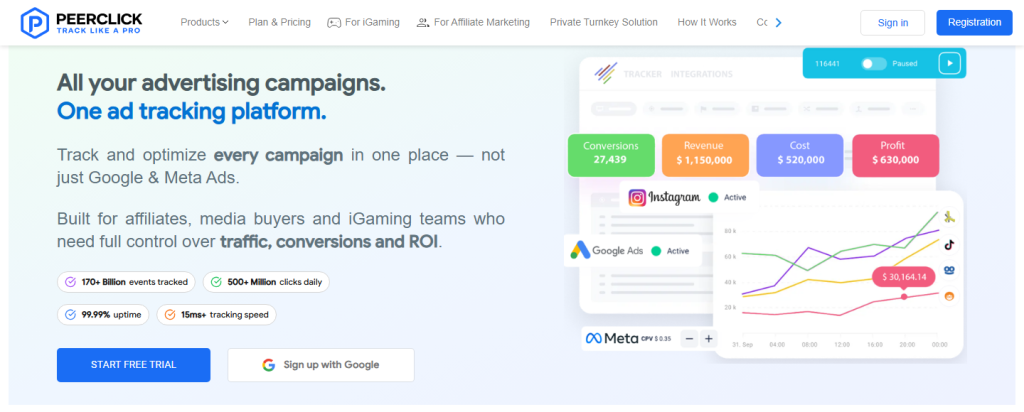
Bonus: PeerClick — affordable cloud with free trial
The sixth extra, which was too good to leave out. If Voluum seems expensive and you want a full-featured cloud solution rather than just BeMob’s free sandbox, take a look at PeerClick. Free trial for 10,000 events without a card, then paid plans start at $99.
It’s designed specifically for affiliate marketing, with an interface and support more tailored to Russian-speaking users, and it’s noticeably cheaper than major Western players like Voluum. The natural downside of being a younger player is that it has fewer integrations and ready-made templates than the giants, and the community is smaller, so you’ll have to set up some things manually. As a second or third entry point after BeMob, when the free plan is no longer enough, it’s a solid option.
Conclusion
Let’s get back to David and his forty creatives. With a tracker, that morning looks different: he opens a single tab and, in five minutes, sees that three out of forty funnels are profitable, eight sources need to be added to the blacklist, and one landing page is draining traffic and needs to be turned off. All because a properly configured tracker finally let David see where he’s making money and where he’s losing it.
That is the whole point of the tool. A tracker doesn’t drive traffic, write creatives, or generate profit. It makes the culprits visible—turning a blind “plus” or “minus” into a clear picture you can actually work with. If you’re running a single funnel with a $100 budget, it’s overkill. But as soon as you scale up and budgets grow, flying blind starts costing more than the subscription—and that’s when a tracker goes from a nice-to-have to something you can’t afford to skip.
A quick checklist to get started:
- First, decide whether you need a tracker at all (see “When you don’t need a tracker”).
- Choose the type: cloud for an easy start, or server-based for high volumes and greater control.
- Start with a trial or free plan—try BeMob or PeerClick at no cost.
- Set up your first campaign and triple-check the postback. Especially the postback.
- Let the tracker collect a week’s worth of data before drawing any conclusions.

FAQ
It’s a tool that sits between your ads and your offer, tracking every click. It records all click data, sends the user to the right page, and matches clicks with conversions from the affiliate network. Simply put—it’s where you see which ads make you money and which ones spend it.
A TDS just routes traffic based on rules (mobile here, desktop there). A tracker does that too, plus tracks your money and provides full analytics. Today, traffic distribution is just one feature inside a tracker—standalone TDS solutions are almost extinct.
Yes, but with caveats. BeMob has a forever free plan for up to 100,000 events per month. Most others offer 14-day trials. There are open-source and custom-built options, but they’re only free by license—you still pay for your time and server.
Cloud trackers—from $49/month (BeMob Professional) to hundreds for top-tier plans. Server-based—from €40 (Keitaro Starter) plus VPS rental $5–15. Binom charges a flat $104–149 for any click volume.
A postback is a server signal from the affiliate network to the tracker indicating that a conversion has occurred. Without it, the tracker sees clicks but not deposits, and half of your analytics simply won't work. You should check your postback setup three times—this is where most people stumble.
No, these are false namesakes. MyTracker by VK is mobile app analytics, and Yandex Tracker is a team task manager. Neither has anything to do with affiliate marketing, though they're often confused with ad trackers in search results.
Start with a cloud tracker that has a free plan or trial—BeMob or PeerClick. This way, you'll learn the mechanics without spending money or setting up a server. Once you get the hang of it and hit volume limits, then consider Keitaro, Binom, or a paid cloud plan.
At the beginning—yes. If you have one funnel, one affiliate network, and a small budget, SubID and the affiliate network's stats are enough. A tracker becomes essential when you have multiple funnels and sources, and the cost of flying blind exceeds the subscription price.

Comments (0)