

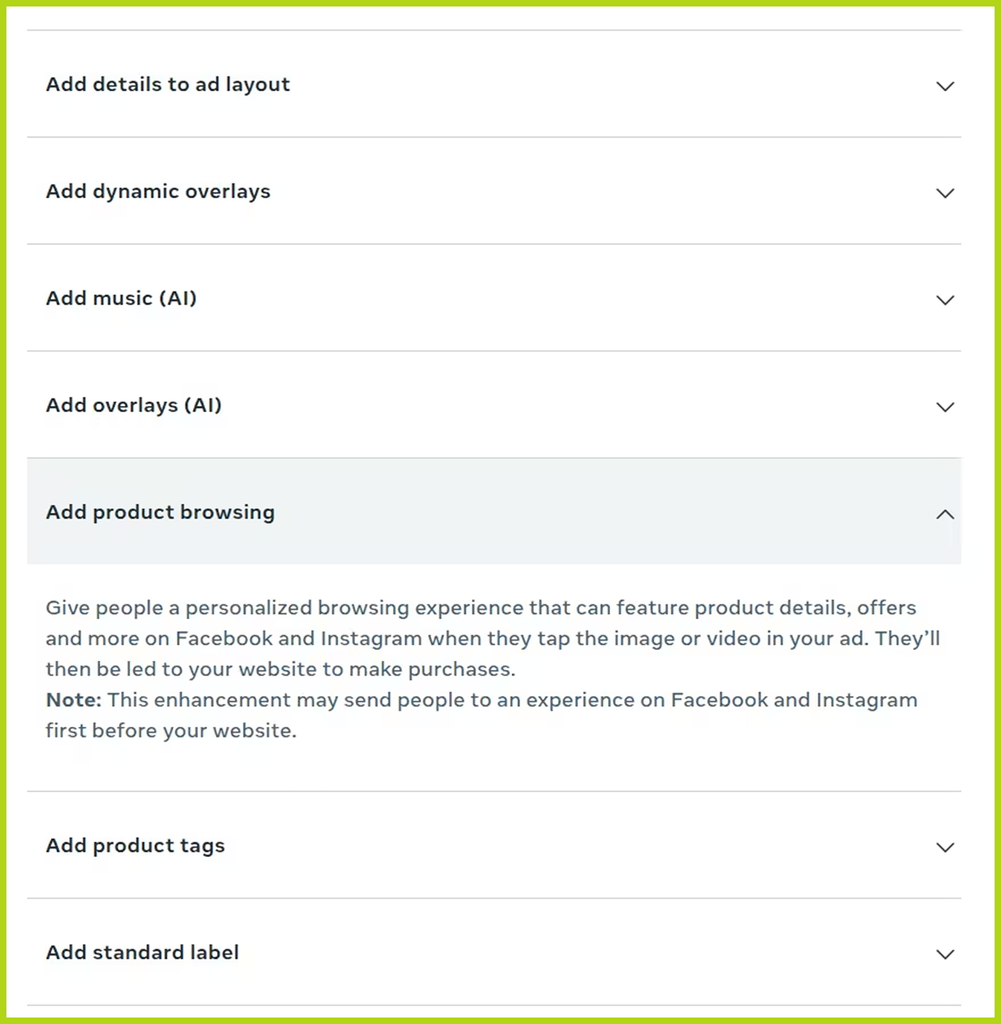
Meta has notified advertisers that starting October 28, 2026, it plans to enable Product Browsing for existing Facebook and Instagram ads. After clicking, users may first see a screen with products and personalized recommendations inside the app, and only then proceed to the website.
The feature itself existed before: the change concerns its automatic activation in already running ads. This means the user journey may change even if the buyer hasn’t edited the ad.
What changes after the click
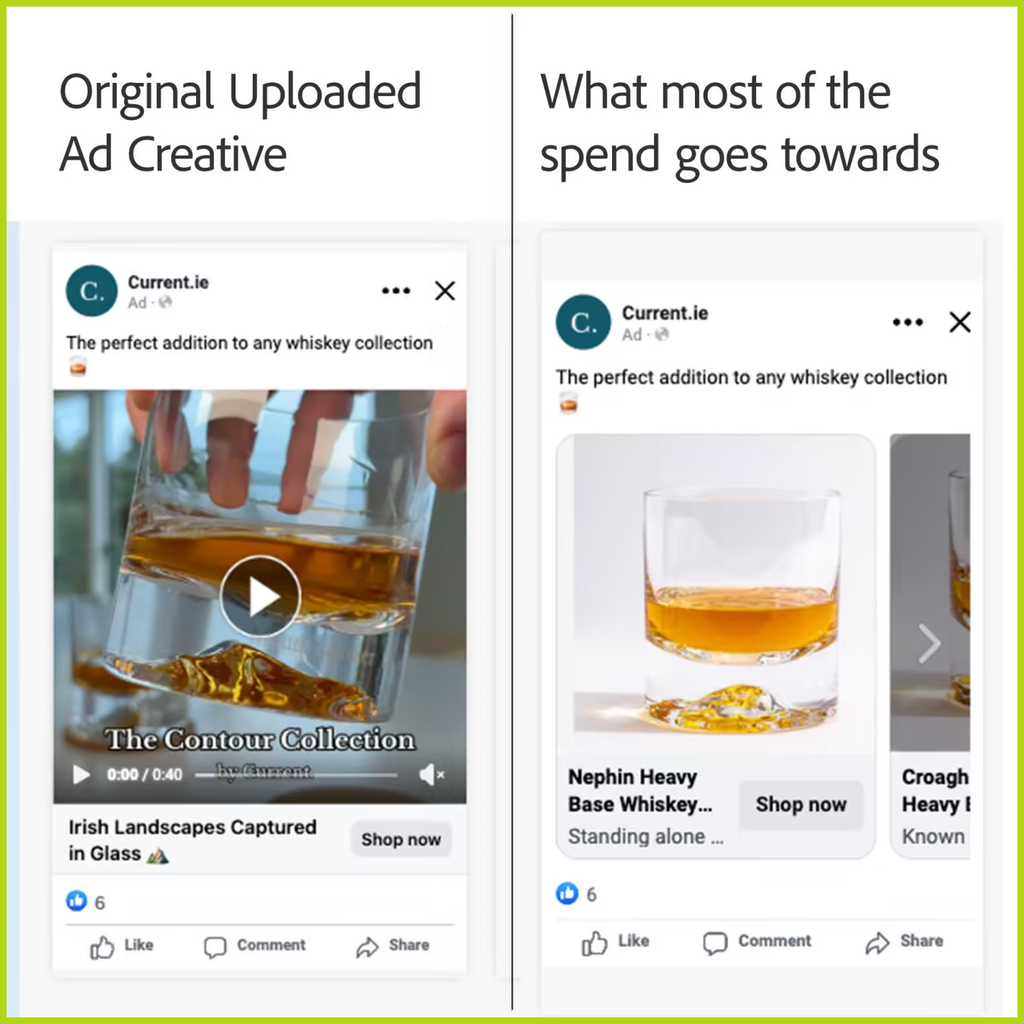
Product Browsing adds a possible intermediate step between the ad and the website. Instead of going directly to the landing page, the user first gets acquainted with the product inside Facebook or Instagram.
At the same time, the additional screen may not appear on every click. The notification does not specify the full list of affected countries, formats, placements, or campaign objectives. Therefore, it’s not guaranteed that all ads will work this way starting October 28.
Source Linkedin
The offer sequence changes for buyers
In product funnels, it’s important what the user sees first: the product itself, the price, a problem explanation, or a story on the pre-landing. Product Browsing can disrupt this sequence—showing product information before the user reads your prepared text.
This is an extra hypothesis to test. For some, this screen may help them understand the offer faster. Another user might close it and never reach the site. You can’t predict in advance whether this feature will increase or decrease conversion.
There’s also a less obvious nuance: the landing page conversion rate itself may increase, even if the campaign as a whole brings fewer orders. For example, if part of the audience drops off inside the app, only the most interested visitors reach the site. That’s why the landing page CR alone isn’t enough to evaluate the update.
What to track in the stats
Link clicks in Meta can lead either to external sites or to pages within the platform. Outbound clicks specifically count transitions outside Meta’s services. These metrics measure different actions from the start.
If Product Browsing is enabled, it’s useful to compare:
- Link clicks and outbound clicks: what share of interactions actually leads users out of Meta.
- Outbound clicks and tracker visits: how many users actually reach the tracked page.
- Spend and confirmed conversions: how much a lead or order costs the advertiser in the end.
If after enabling Product Browsing you still get enough clicks but visits drop, check the new path to the landing page. A discrepancy alone doesn’t necessarily mean tracking is broken.
How to opt out
In the notification, Meta suggests clicking Opt out by October 28. The company also notes that Product Browsing can be enabled or disabled in the settings of Advantage+ Creative and Destination — the section where you set the ad destination. You will still be able to change this setting after the specified date.
If you decide to keep the feature, record the activation date and your baseline metrics. Otherwise, you might mistake the change in flow for the effect of a new creative, pre-lander, or offer. The funnel remains yours, but now Meta may choose the first screen after the click.


Comments (0)