

Sergey was launching his first ever weight loss campaign and was sure the funnel would take off. He made a clickable creative, found a juicy offer, and set the budget. Twenty minutes later, Facebook* sent a short “Rejected.”
But the problem wasn’t the creative at all. The platform moderator followed the link and saw something that couldn’t be advertised. What he should have seen was a harmless page about healthy eating. This type of landing is called a White Page. Without it, you’re unlikely to succeed in running gray-hat verticals.
Let’s break down what a white page is, how it differs from a black page, where to get ready-made pages, how to build your own with AI, and which small details cause affiliates to lose accounts in bulk.
What Is a White Page and Why You Need It
A White Page (or “white,” “whitepage”) is a harmless bridge site shown to reviewers. It contains no forbidden offers or aggressive promises—just neutral content that easily passes the ad platform’s rules.
The white page solves three key tasks for affiliates:
- Bypassing moderation. A human or bot clicks your ad, the platform checks the landing, and sees a clean, white page. Formally, there are no violations, so the ad gets approved.
- Protecting your funnel from being copied. While the moderator sees the white page, your real offer, landing, and creatives stay hidden. A competitor spying on your approach with a spy service will usually see only the white placeholder too.
- Bot filtering. Platform algorithms and anti-fraud bots that automatically scan your page should land on the white page, while real buyers are sent to the offer. Special software decides who is who—we’ll cover it below.
White pages are used in affiliate marketing anywhere strict moderation exists—Facebook*, Google Ads, TikTok, and others. The stricter the platform’s rules, the more important it is that review algorithms see neutral, approved content at your link.
What’s the Difference Between a White Page and a Real Landing
You can think of the white and black pages as two doors operating under the same sign.
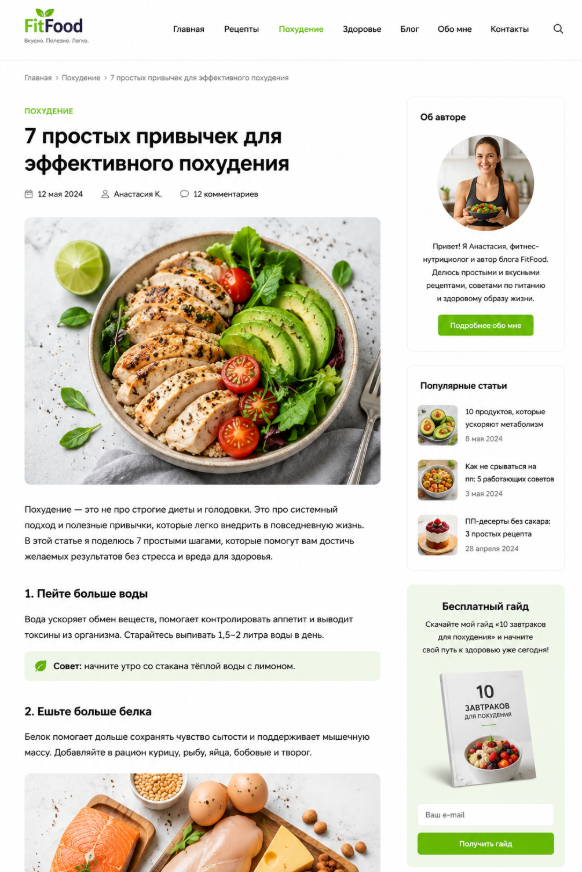
The White Page is legal content seen by moderators, bots, and review algorithms, matching the offer’s theme. For example, if you’re running weight loss offers, you can make a blog page about healthy eating or fitness exercises. The main thing is to disguise it as useful, neutral content that doesn’t break platform rules.
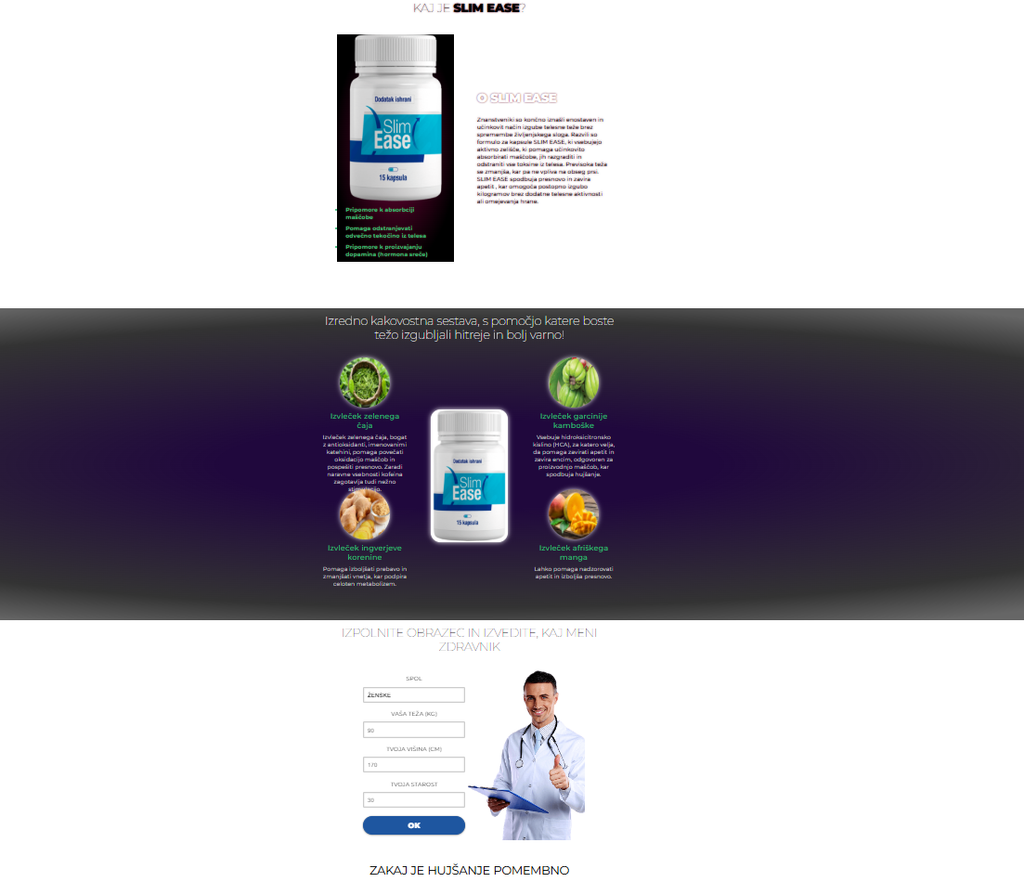
The Black Page is the real landing page with the promoted offer. Only your target audience sees it—real people from the right GEO who are genuinely interested in the product.
To make one link lead to two different pages, cloaking services are used.
Cloak is a software switch that uses algorithms to decide what to show and to whom. If the system detects a bot, a datacenter IP, or a suspicious user agent, it shows a white page. When the algorithm recognizes a real user from the right country, they are redirected to your offer. The decision is made in fractions of a second based on a dozen parameters: IP, GEO, device, behavior, referrer.
It’s important not to confuse white and cloak. White is the content, the page itself. Cloak is the mechanism that distributes traffic between white and black. If you work with a white product whose ads are allowed on your chosen traffic source, you don’t need either white or cloak. This is a tool for gray verticals.
Where to Get Ready-Made White Pages
By 2026, whites are no longer assembled manually—it’s too slow and inconvenient. It’s easier and faster to use ready-made ones. Below are the most popular sources of ready-made whites for arbitrage.
Spy services. See which whites competitors have been running for months without bans and use their approaches as a base. Downloading and uploading someone else’s landing pages without changes is not allowed. Your task is to research working patterns, see which topics and page structures pass moderation, and adapt this data for yourself.
Generators. Services that assemble a white page according to a set scheme for the needed GEO. Here are some of the most popular:
- MoneySafe — ready-made pages with hosting, supporting all verticals. Convenient when you don’t want to deal with hosting yourself.
- Comsign — generate a white in a few clicks with integration into Adspect cloak. Powerful but expensive. Pricing starts from several hundred dollars—more suitable for teams.
- Ads Approved — over a thousand templates and a built-in AI cloak in one service. Versatile, but also not cheap.
- WHITEGEN — themed whites in about half an hour, prices from a few dollars, lots of ready-made layouts. Good balance of price and quality.
- Whitepages.bot — the most budget-friendly option, generation right in a Telegram bot, from $1.5 per page. Great when you need a lot of whites for little money.
Any generated page should be refined by hand to add uniqueness. In 2026, AI moderation easily recognizes the basic output of a popular generator because it has seen it thousands of times. Change block structures, rewrite texts, add your own images. Otherwise, your white will quickly get banned along with your accounts.
Website builders. Here, you can assemble landing pages from blocks without any coding knowledge. They work slower than generators, but the result is more unique and lively. The most popular services are Tilda, Weblium, Taptop, Mobirise.
CMS and HTML templates. WordPress with a ready-made theme or a downloaded HTML template that you customize for your needs. Here you get maximum control over the code.
Freelance. You can delegate the creation of a white page to a specialist. This is more expensive and takes longer, but you get a unique page that platform filters definitely haven’t seen yet.
The author of the LINKI Group channel emphasizes that the quality bar for white pages has risen sharply:
“The era of white pages thrown together in 5 minutes on a free builder is over. Before, a single page with random text about a mobile game was enough—today, that’s a direct ticket to a ban within minutes. Facebook* doesn’t just look at the image, but at the entire page: are there internal links, are there suspicious scripts. A one-pager with no interactivity is an obvious red flag for the algorithm. A modern white page is a full imitation of a real website that lulls moderation’s vigilance.”
Creating a White Page with Neural Networks
With neural networks, you can make landing pages in just a few minutes without coding skills, third-party services, or any hassle. All you need is a bundle of three AI tools—for text, images, and layout.
- Texts. ChatGPT or Claude will write content for your white page on any topic: blog articles, service descriptions, About Us section, privacy policy, and user agreement. Ask for several articles of 300–500 words each so the page doesn’t look empty.
- Layout and design. Claude can write code and assemble a ready-made page right away. You describe what you want and see the result, which you can immediately tweak. The same neural network will generate HTML, CSS, and structure for you—no coder needed.
- Images. Chat GPT Image, Nano Banana, or Grok generate unique visuals for your topic: a studio interior, a plate of healthy food, a “specialists” team. This matters because Google and Facebook* check images against their database and flag duplicates.
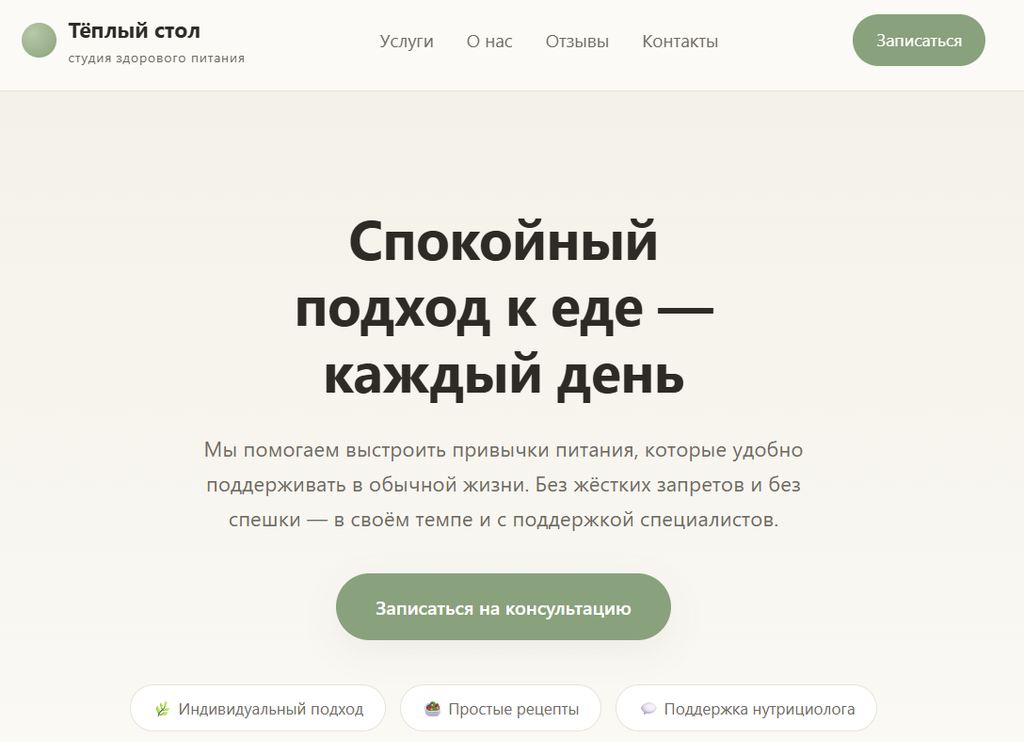
For example, you write a prompt for Claude to assemble a white page framework for a healthy nutrition offer.
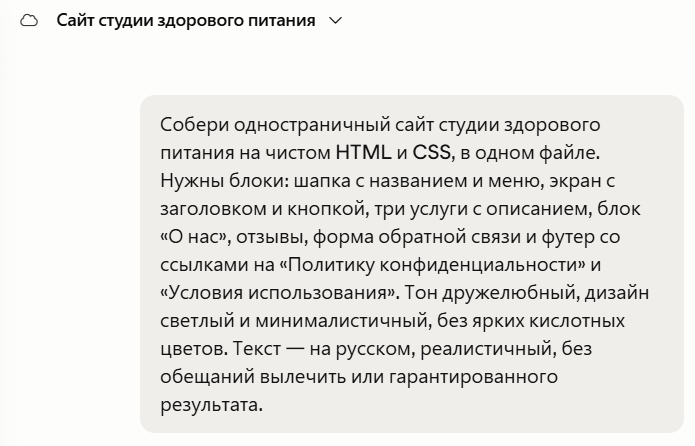
As a result, you get a page that you can customize and refine right in the same window. Change the texts for your GEO and language, insert unique images, add a working order form, buttons, and more.
Common Mistakes and Security Tips
A quality white page is only half the battle. When launching campaigns, affiliates need to avoid getting flagged by technical details. Let’s break down the main mistakes most beginners make.
- Overly templated content. A single-screen page with meaningless text definitely won’t pass in 2026. AI moderation compares your landing with millions of already banned sites and instantly recognizes a dummy. Try to make your landing as lively as possible—create several pages, quality useful articles, photos, working buttons, reviews, and more.
- Poor cloaking and redirect setup. If a moderator accidentally slips through the filter and sees the offer, a ban is guaranteed. A common mistake is incorrect redirects: a sharp jump from a white domain to a gray one via suspicious code immediately exposes the scheme. Keep transitions logical within one domain. Don’t use rough 301 redirects where they’re easily noticed. In many custom cloaks, the white page is pulled to the server via PHP CURL so the address in the bar doesn’t change and there’s no obvious redirect. But if CURL is misconfigured, pulls an incomplete or broken version of the white page, doesn’t send the right headers, or exposes your server’s IP, the platform will notice. Make sure CURL delivers the fully assembled clean page, not a broken piece.
- Exposure by IP and user-agent. The cloak must know the current IP ranges of datacenters and platform bots, otherwise it might let a checking bot onto the landing with the offer or show the white page to a real user. You don’t need to collect these lists manually—a good cloak maintains and updates them automatically.
- Low loading speed and no SSL. A white page that loads longer than 3 seconds gets a high bounce rate and can trigger the algorithm. If there’s no SSL certificate, the system’s trust in your landing will definitely drop. HTTPS is a must, and the landing page should load in no more than 2-3 seconds. Also, make sure the page is adapted for mobile devices.
Before launching, check your white page with this checklist:
- the page has several sections and real articles, not just one screen;
- there is a “Privacy Policy,” “Terms of Use,” and contact information;
- a top-level domain, with history or at least aged, relevant to the topic;
- HTTPS is enabled, the page loads in 2-3 seconds, and there is a mobile version;
- no stop words or hints of the offer in texts, meta tags, or file names;
- images are unique, not from the first page of Google search;
- there is a working form that leads to a confirmation page;
- the whitehat theme matches the creative and offer theme.
Step-by-step guide to setting up a whitehat in practice
Let’s break down the most common scenario — distributing the whitehat and offer through the Keitaro tracker. Keitaro itself is not a cloaker, it’s a tracker. Cloaking here means filtering users by the tracker’s own filters — GEO, IP, device. This is a basic level, and strict platforms can bypass it. Hard cloaking is a separate service like Adspect or IMKlo. It identifies reviewers by dozens of parameters — browser behavior, Javascript, anti-detect signs, data center IPs, fresh bot databases. In this case, moderators are much less likely to catch the blackhat.
Step 1. Prepare the landing page. Both whitehat and blackhat for the tracker are just websites: a ZIP archive that must contain an index file. Index is the main page file: it defines what is written, the colors, and where images are placed. If you want to edit the page manually, edit the index file.
Step 2. Upload the whitehat to Keitaro. Go to the “Landings” tab, then “Create.”
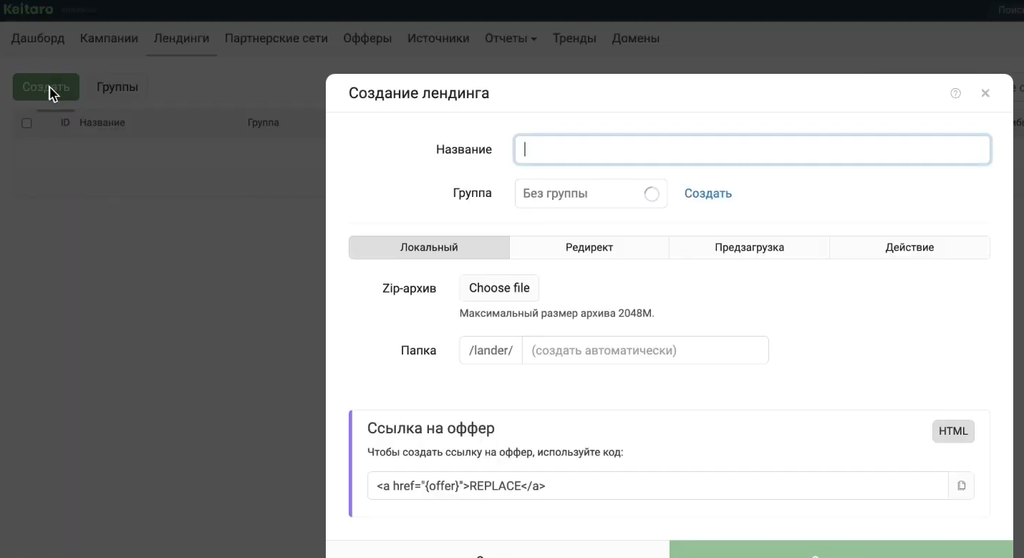
Immediately organize your naming, or you’ll drown in the lists: create a separate whitehat group, and name the landing page using the scheme “white-1-shop” — serial number, theme.
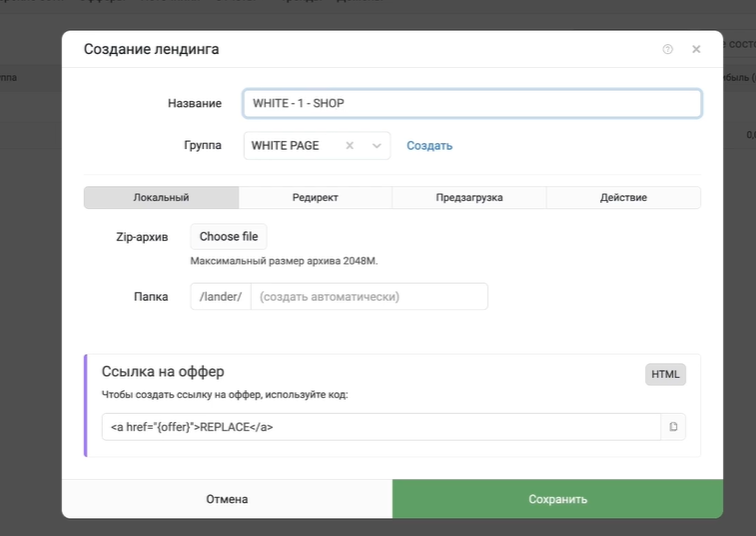
Leave the type as “Local” so the site content is hosted directly on your domain, and when Facebook* or Google visit the address, they see a clean page without redirects or extra suspicion.
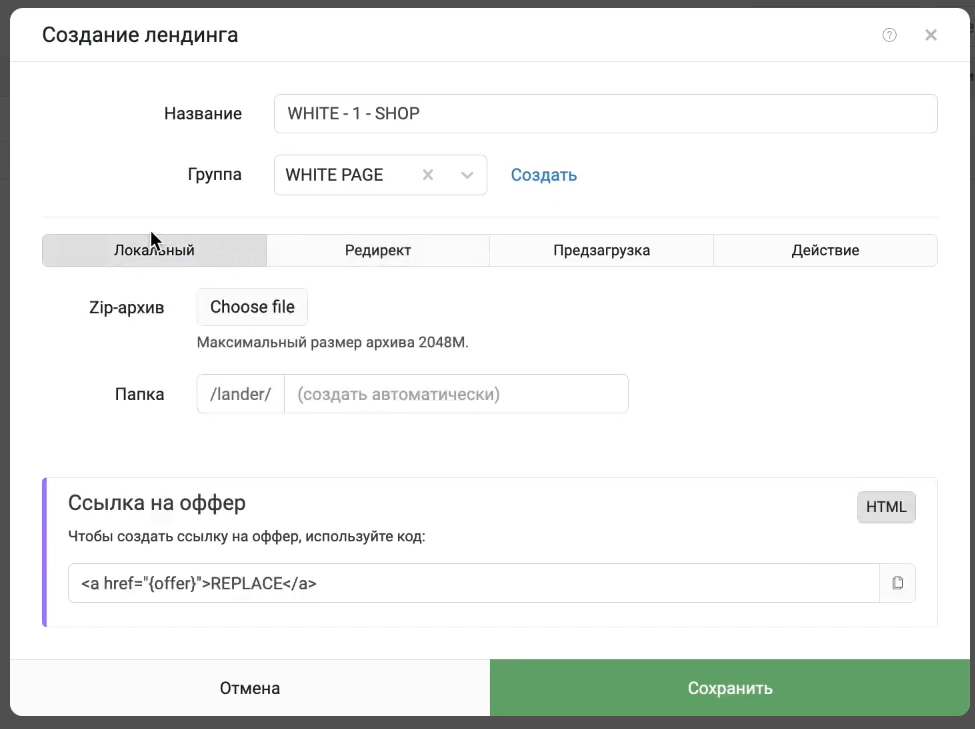
Select ZIP, upload, save. The blackhat is set up exactly the same way — for the tracker, whitehat and blackhat are just different landings with different content.
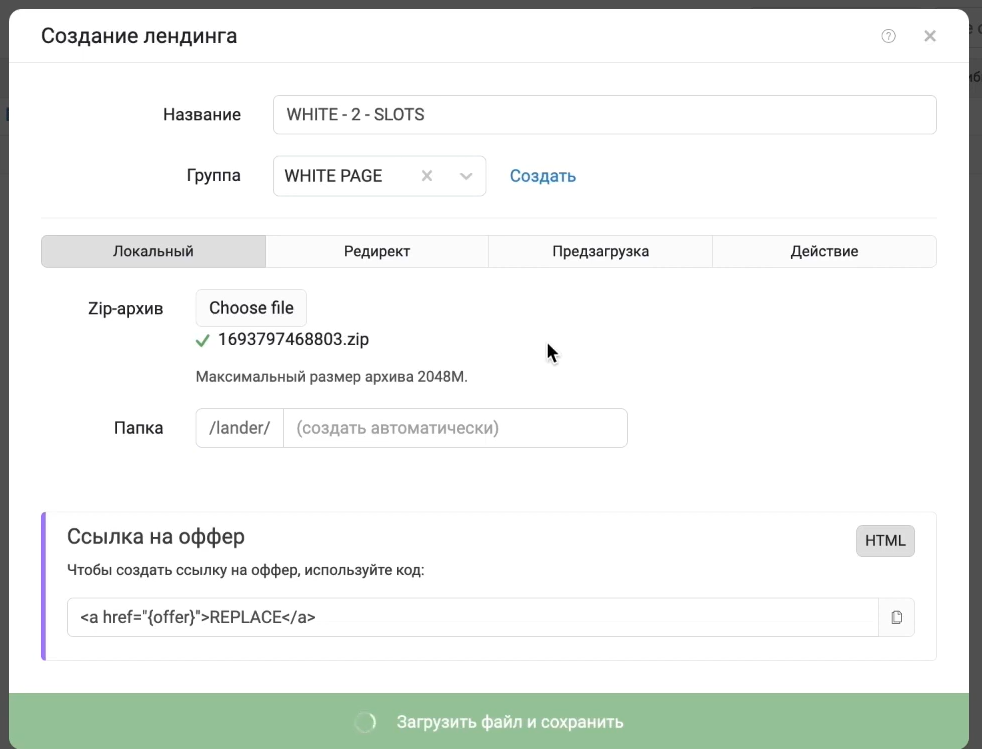
Step 3. Keep redirects in mind. A local white is safer than a redirect: platforms, especially Facebook*, don’t like when a bot hits one site but actually lands on another. But a local white isn’t a cure-all: by itself, it doesn’t guarantee everything will go smoothly and doesn’t work 100% of the time.
Step 4. Set up flows. In the campaign, create three flows: white, black, and fallback. Use filters — GEO, IP, device, etc. Moderators and bots go to the white, while the target user goes to the black.
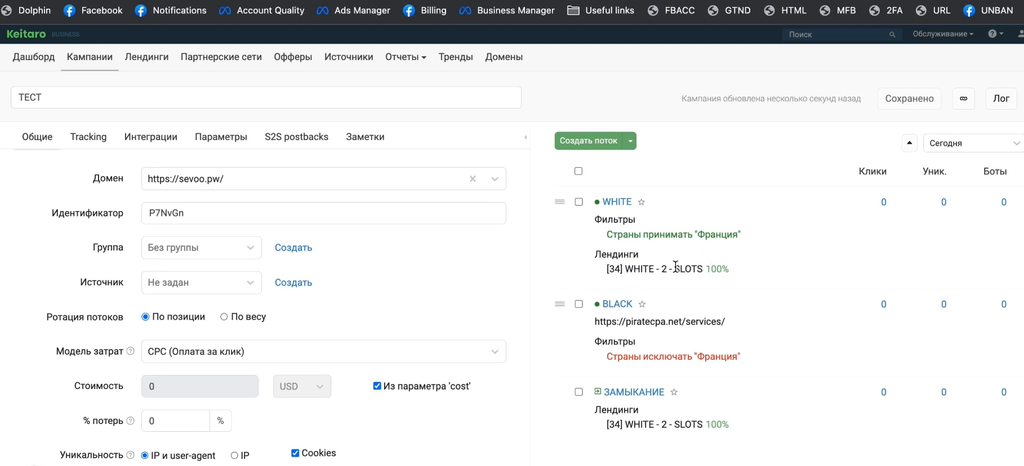
It’s easy to check if it works: change the country in the filter and see where you get redirected.
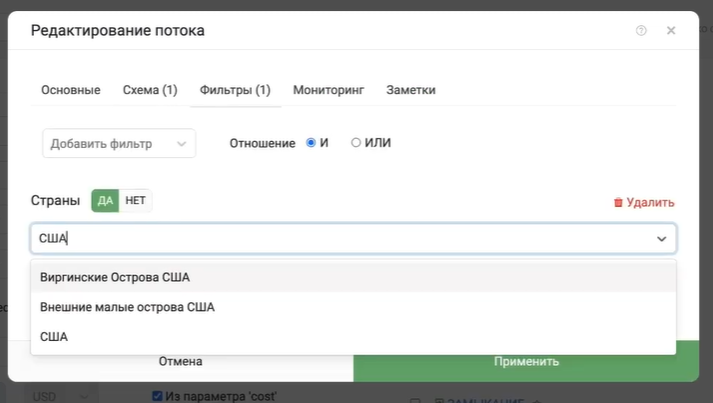
If you set the right GEO — you land on the offer; if you set a “foreign” country, like a moderator would, you land on the white.
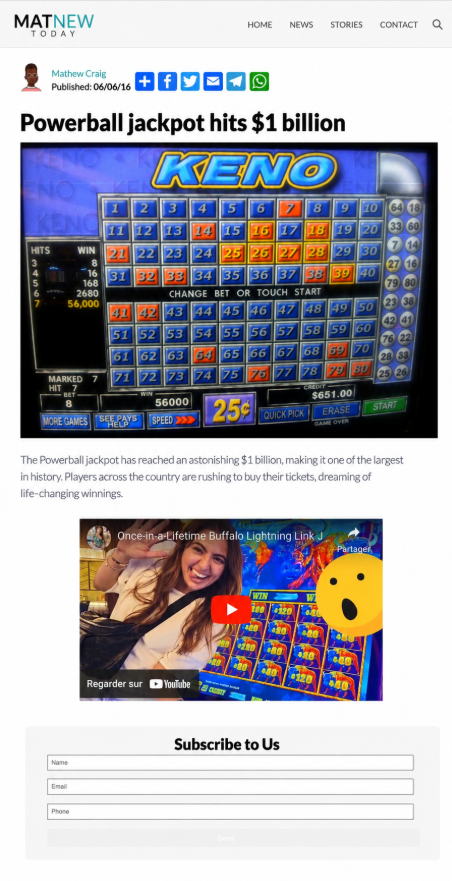
Step 6. Final check. Before launching, make sure the filters really send the “moderator” to the white and the real user to the black. If you mess up the filter, you’ll show the offer to the reviewer and get banned for nothing.
Expert opinions
When asked where to get whites, the author of the Google Hard channel answers as follows:
“There are three working options: downloading ready-made sites, building whites yourself via BB, or buying them. For us, the third option turned out to be optimal: a buyer shouldn’t waste time searching, assembling, and endless tweaking—their job is to launch ads, test funnels, and scale what works.”
The era of cheap generators is coming to an end. For example, the author of the TG channel Konvertov/Affiliate Marketing directly states this:
“There was a time when mini-services boomed, creating a decent white page for any topic and language in a couple of clicks. Now the niche is basically dead: there’s no point generating a white for $10 a piece when for $20 you can get Claude Code or Codex and make whites for every occasion.”
The author of the channel “Arbitrage Shaman” reminds us that most often, affiliates burn their own accounts themselves:
“In 2026, fast bans have become the norm, and old cloaking schemes get caught almost instantly. But most often, webmasters burn their own accounts: soft filters, aggressive keywords, mismatch between ads and the white, fast redirects, overused domains. Cloaking only works on a perfect white page with no hint of the offer, where the white and black pages match in fonts, colors, and structure.”
Conclusion
You can’t treat creating a White Page as a formality or just a placeholder. Build a full-fledged site, even if it’s a single page. The quality of your white largely determines how long your funnel will last.
In 2026, a white landing should look alive—have several sections, include legal information, work with SSL, and load in 2-3 seconds. The white’s content should match the creative and logically continue it.
Before launching, run your White Page through a checklist, make sure the cloaker sends moderators to a safe page, and your offer isn’t visible to review bots.
* Meta is recognized as an extremist organization, and its activities (including Facebook and Instagram) are banned in the Russian Federation.

Comments (0)