


When running casino or sportsbook campaigns through Facebook Ads, affiliates often direct traffic to mobile apps. Players tend to trust products listed on official marketplaces such as Google Play, which makes them more willing to install an app.
The problem is that developing or renting a store-listed app is both difficult and expensive, while its lifespan in the store may be extremely short — often anywhere from a few days to a couple of weeks.
Every app takedown can bring campaigns to a complete halt, disrupt optimization in connected ad accounts, and force teams to spend more money on replacement accounts and proxies.
To reduce this dependency on official app stores, media buyers increasingly use progressive web apps, or PWAs.
PWA technology was not originally developed for affiliate marketing. Major technology companies such as Uber, Tinder, and Pinterest have used it for years. Large brands adopt PWAs to avoid the cost of developing separate products for multiple operating systems and to reduce user drop-off caused by slow downloads.
In this article, we examine how PWA funnels work in 2026, compare popular PWA builders, and explain how push notifications can help convert registered users into depositing players.
What Is a PWA and How Does the Funnel Work?
At its core, a progressive web app is a website designed to look and behave like a mobile app.
When opened from a smartphone’s home screen, it runs without the usual browser interface. From the player’s perspective, it can look much like a conventional app installed from an official marketplace.
Source: AffMoment
A script on the website prompts the user to add the page to their phone’s home screen. When the player later taps the icon, the site opens in a standalone, full-screen window without the usual address bar or browser tabs.
In an affiliate funnel, the user journey from the first click to the first deposit typically includes several stages:
1. Ad click
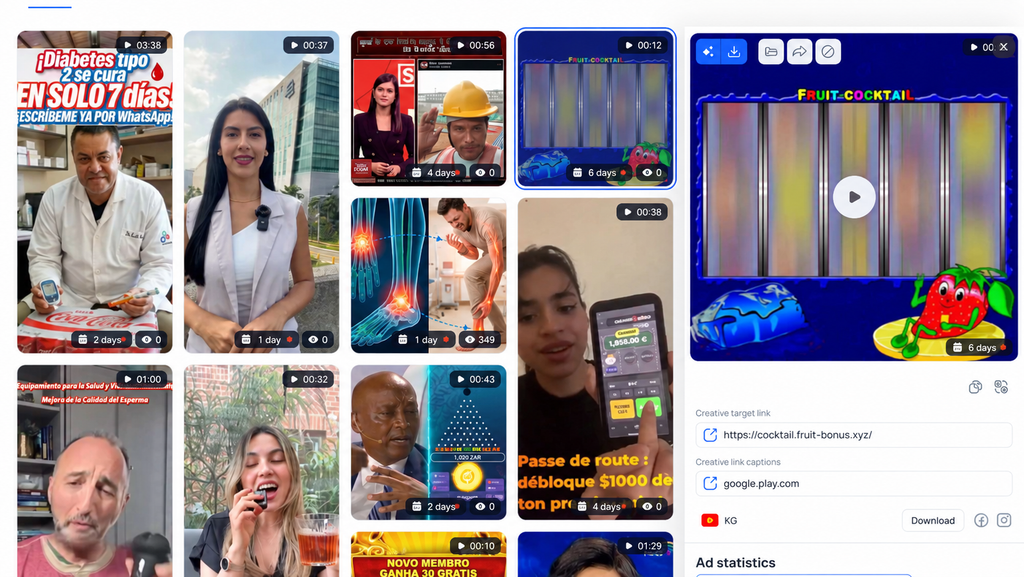
The user sees an ad on Facebook or TikTok and follows the link.
2. Pre-lander
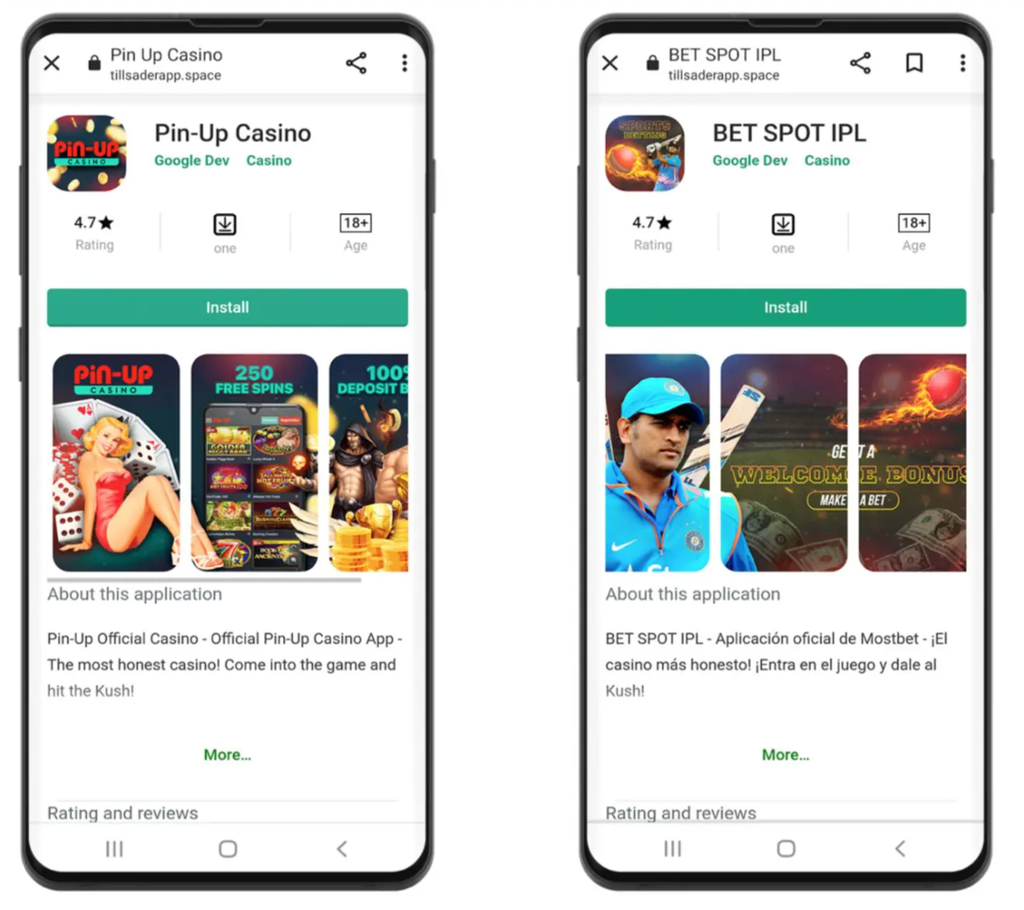
Instead of being sent to an official app store, the user lands on a page designed to replicate a Google Play listing.
The page includes familiar trust signals such as an app icon, casino interface screenshots, player reviews, a high rating, and an Install button.
3. Instant installation
When the user taps Install, there is no need to download a 50 MB application package.
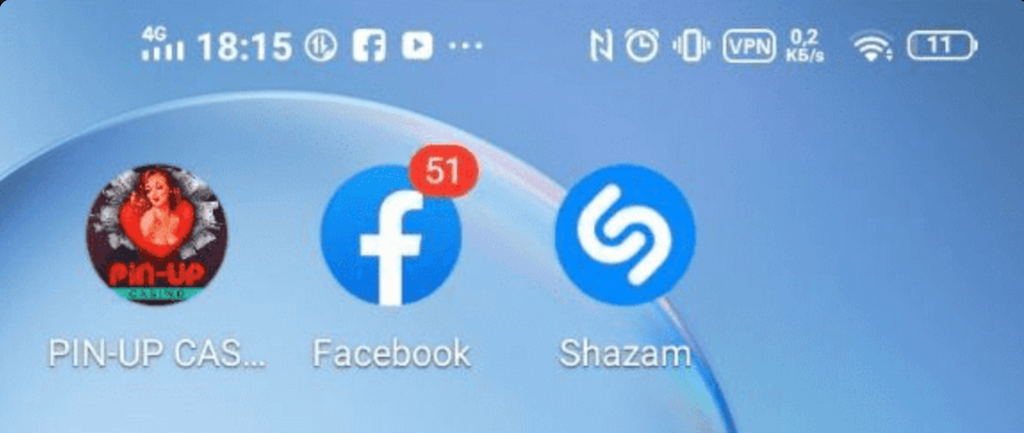
The browser loads a lightweight script within seconds and adds an icon to the phone’s home screen. To the user, the experience resembles a fast conventional app installation.
This can be particularly important in Tier-3 markets, where many players use slower mobile connections and older, lower-cost smartphones that may struggle with large app downloads.
4. App launch
The player taps the new home-screen icon. A background script—the Service Worker—opens the experience in a standalone browser window and loads the mobile version of the casino or sportsbook.
5. Registration and deposit
The user registers and makes a first deposit while interacting with what appears to be a dedicated mobile app.
WebView vs. PWA: Why Media Buyers Are Moving Away from Store-Listed Apps
Several years ago, WebView apps were a standard acquisition tool for casino and sportsbook offers. The setup was straightforward: a media buyer rented an existing app, connected it to an ad account, and launched a campaign.
Today, that model often creates more problems than it solves. Google Play continues to tighten its review policies, and WebView apps may be removed within days—or sometimes hours—of the first campaigns going live.
| In 2023, our editor experimented with ASO and attempted to publish several casino apps on Google Play. Enforcement was particularly volatile at the time, and the experiment failed. It was expensive, painful, and ultimately produced no result. |
For affiliate teams, this creates recurring overhead. Media buyers may spend hundreds of dollars on fresh Google Play developer accounts, dedicated proxies, and third-party app review services.
When an app has such a short lifespan, its effective cost per install becomes too high, making it difficult to scale campaigns consistently.
PWAs address many of these problems for three main reasons:
Retaining campaign optimization data
With a WebView app, conversion events are typically passed through an SDK built into the application. If Google removes the app from the store, the team loses access to that implementation and the conversion history associated with it. New campaigns may then have to begin the optimization process again.
With a PWA, Meta Pixel is installed on the affiliate’s own domain, where the pre-lander is hosted. If an ad account is disabled, the pixel implementation remains on the domain and can continue collecting data. The same domain can then be connected to another account without rebuilding the entire funnel.
Less dependence on third-party providers
WebView campaigns often depend on app rental services. Media buyers may pay for every install, while a wave of Google Play takedowns can interrupt acquisition for an indefinite period.
With a PWA, the affiliate controls more of the infrastructure. The team can purchase its own domain, connect it to a builder, and configure a cloaking solution. Because the PWA is not distributed through Google Play or the App Store, store-side enforcement cannot take the app listing offline.
Greater flexibility in landing-page design
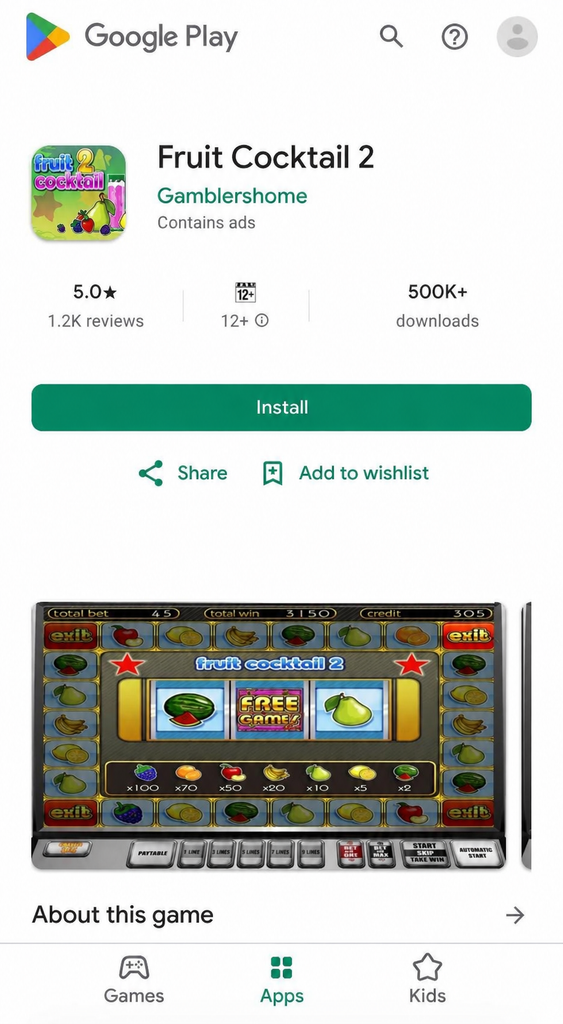
Google Play and the App Store restrict real-money gambling content, so WebView apps are often presented as casual games or financial products during the review process.
The screenshot below shows a typical example: the ad promotes a crash game, while the destination is a white app with unrelated positioning.
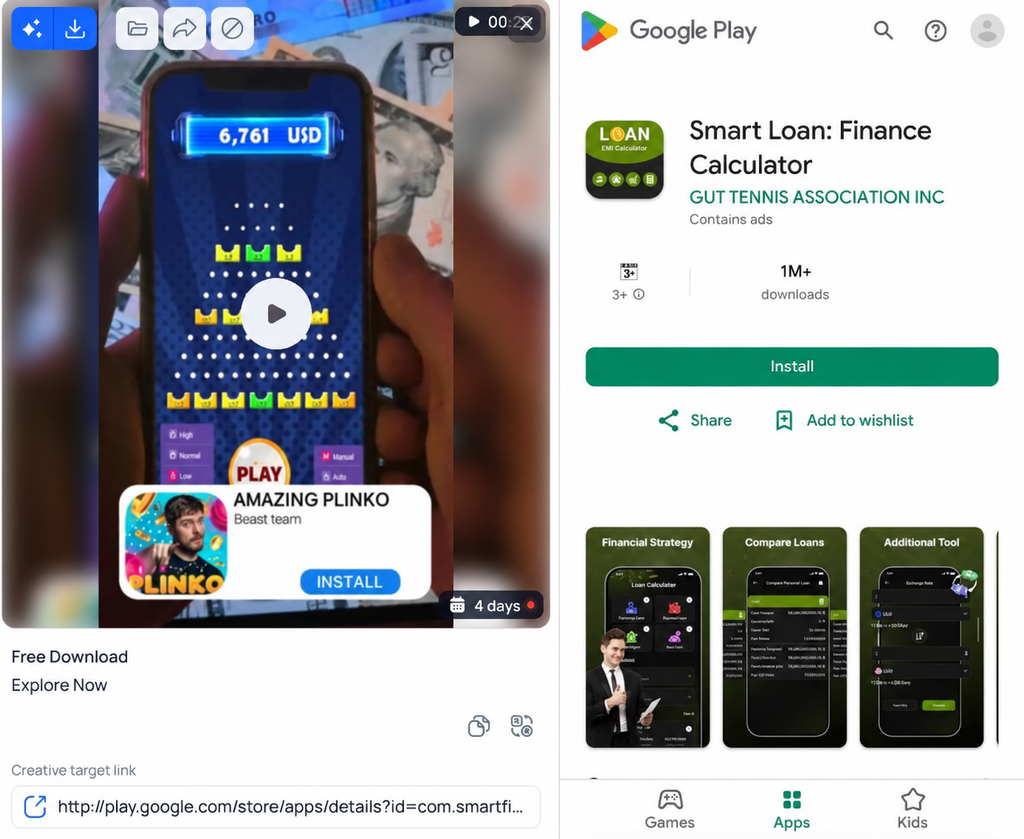
This mismatch can reduce conversion. The user sees a simple arcade game or financial product in the app-store preview but is taken to a casino product after installation. Many users simply close the app when the experience does not match their expectations.
A PWA pre-lander can be designed without the same store-listing constraints. The installation page can feature recognizable slot titles, a fast registration form, player reviews, and information about welcome bonuses.
Players understand what they are opening from the start, which can improve the conversion rate from click to target action.
Advantages and Disadvantages of PWA Apps
Beyond preserving optimization data, offering greater design flexibility, and removing dependence on Google Play listings, PWAs have several other characteristics that directly affect CPI and overall conversion rates.
Advantages:
- Access to iOS audiences. Finding or renting a working iOS WebView app is usually difficult and expensive. A PWA can be opened on both Android and iOS devices.
- Automatic updates. If you update the installation page, scripts, or reviews, users do not need to reinstall anything. Changes are deployed on the server and appear the next time the player opens the PWA. A native mobile app would require a new release and another store review.
- Offline functionality. Cached PWA assets—including interface elements, images, and reviews—can remain available if the player temporarily loses connectivity. If the user enters an elevator or travels through an area with poor reception, the page can display its cached content instead of a blank network error.
- Fast campaign updates. If an offer becomes unavailable or a domain is disabled, the setup can be updated within minutes through the builder’s dashboard. There is no need to rebuild the entire application, as there would be with a WebView app.
Disadvantages:
- Limited push support on iOS. Push notifications work reliably on Android, but Apple devices are more restrictive. Web push is supported only on relatively recent iOS versions, starting with iOS 16.4, and the user must add the PWA through Safari. Push-driven re-engagement is not available on older iPhones.
- In-app browser limitations. Ads clicked inside Facebook or Instagram usually open in the platform’s in-app browser. The PWA installation prompt may not work as expected in this environment or may require additional user actions, reducing install CVR compared with a journey through Chrome.
- More complex iOS configuration. To open as a full-screen experience rather than as a standard Safari tab, the PWA must be configured correctly for iOS. The pre-lander needs the appropriate metadata and Apple Touch Icons. Otherwise, the home-screen icon may appear as an unattractive page preview with a browser badge.
Where to Get a PWA for Affiliate Campaigns
There are three ways to launch a PWA for a casino or sportsbook offer:
- Use an app provided by an affiliate program.
- Build one with a PWA platform.
- Develop one independently.
The first option may be free because some affiliate programs provide PWAs for their own offers. However, these products often have limited customization. Affiliates may be unable to edit the pre-lander, localize reviews for a specific GEO, or configure their own push notification flows. Multiple media buyers may also be sending traffic to the same app.
PWA builders charge either a fixed subscription or a fee for each install. They typically provide Google Play-style templates, domain management tools, and built-in cloaking, allowing teams to launch without hiring developers.
The third option is to build the PWA from scratch. This requires either coding the page internally or hiring a front-end developer. The initial cost is higher, but the team avoids ongoing commissions charged by third-party platforms.
Below, we review four popular PWA builders, compare their pricing and features, and outline the technical requirements for developing your own solution.
Overview of popular PWA Builders
Building PWAs manually takes time. Cloud-based platforms offer a faster alternative, with ready-made templates for specific affiliate verticals.
The following comparison covers each platform’s main capabilities and limitations.
PWA.market
PWA.market is one of the best-known PWA builders for casino, sportsbook, dating, and crypto campaigns.
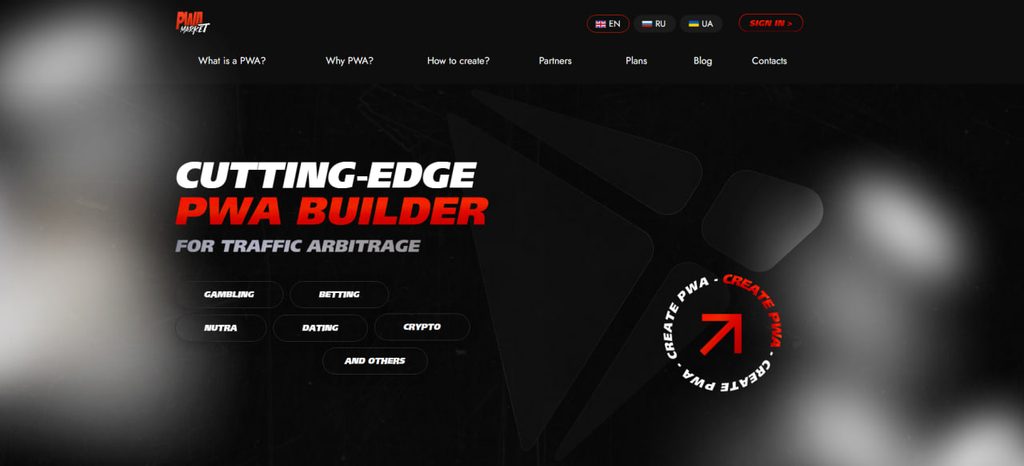
The platform combines landing-page creation, traffic routing, and automated push notifications in a single product.
Advantages:
- Google Play design import. The platform can recreate the design of a native Google Play app from its store URL. It also offers more than 100 ready-made casino and sportsbook templates.
- Dual campaign optimization. Meta Pixel can be configured to optimize for both installs and deposits. Events are passed directly to the ad account, helping campaigns optimize more quickly and accurately.
- Built-in cloaking and white-page generation. The platform includes its own bot and reviewer filtering system, reducing the need for a separate tracker. White pages can be generated from existing Google Play apps.
- Built-in push campaigns. Automated push notifications can be scheduled directly from the dashboard to re-engage players.
- Flexible payment models. Pricing includes both fixed monthly subscriptions, starting at $25 per active app, and pay-per-install billing at $0.03 per valid install.
Disadvantages:
- Additional domain and mirror fees. Clean domains and the mirror feature cost an additional $5 each.
- Dependence on platform uptime. Because the infrastructure is hosted by PWA.market, an outage can immediately interrupt live campaigns.
PWA.GROUP
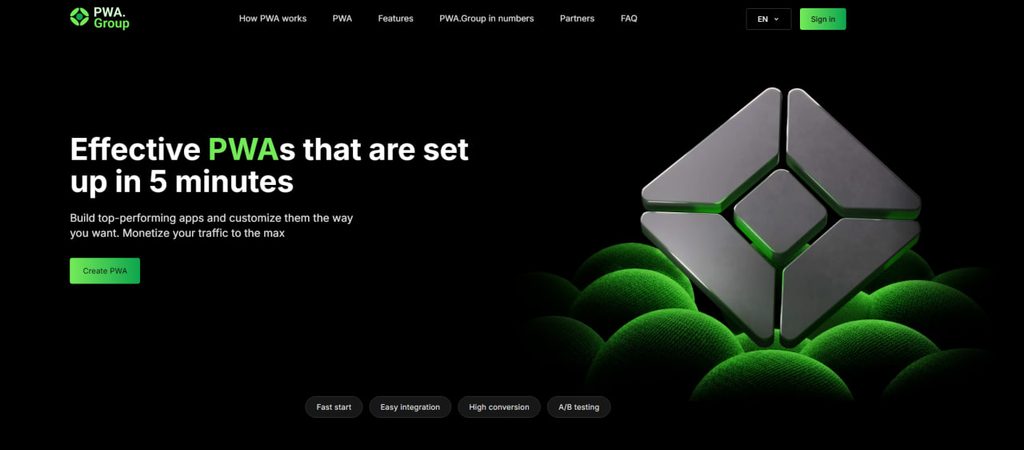
PWA.GROUP is a PWA builder for a range of affiliate verticals, including casino, sportsbook, dating, nutra, and crypto. Registration requires only a Telegram account.
Advantages:
- Built-in traffic routing. Multiple offer URLs can be connected to a single app. The platform detects the user’s GEO from their IP address and redirects them to the appropriate product. This makes it possible to run one campaign across several markets without creating a separate domain and page for every GEO.
- Team access. Multiple media buyers can work in the same account with separate roles and permission levels.
- Analytics integrations. The platform integrates directly with Meta Pixel, TikTok Pixel, Google Analytics, and Yandex Metrica for real-time conversion tracking.
- Multiple pricing options. Users can choose a fixed monthly subscription, starting at $20 per app for testing, or pay-per-install pricing starting at $0.03.
Disadvantages:
- Separate domain costs and setup. Clean domains are not included in the subscription. Prices within the platform start at $3, and users must connect domains through Cloudflare themselves to configure HTTPS and protection.
- Reliance on third-party infrastructure. Apps are hosted on PWA.GROUP’s servers. Platform outages or scheduled maintenance can stop conversions while campaigns continue spending.
Adset.pro
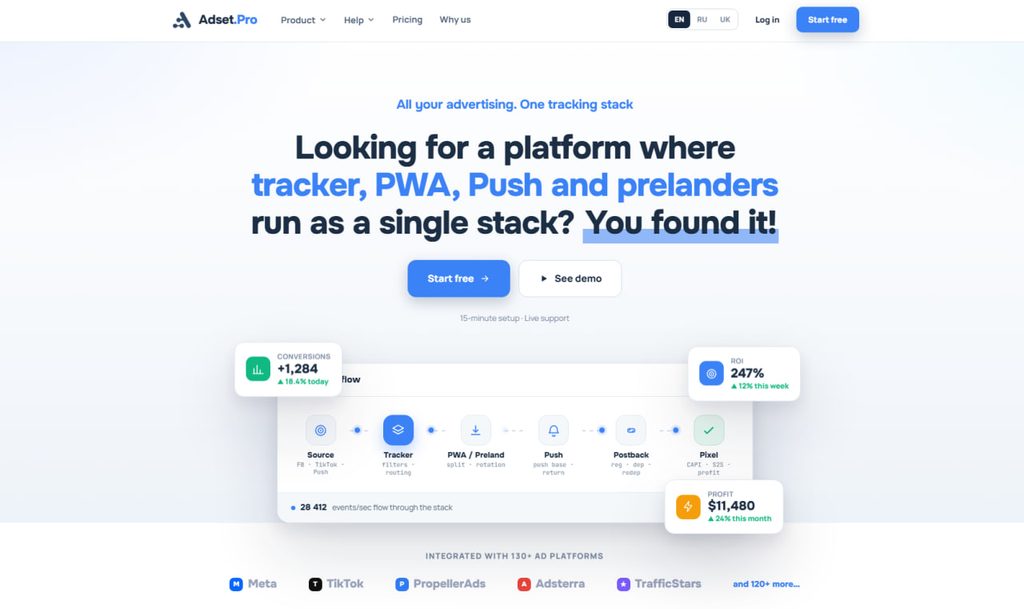
Adset.pro combines a PWA builder, tracker, and push notification platform. Its main focus is automating the technical setup of iGaming PWAs.
Advantages:
- Three build options. Users can import data from Google Play, select a ready-made theme, or configure every element manually.
- Automated review generation. Reviews can be localized by GEO and language, uploaded in bulk via CSV, or generated automatically.
- White-page generator. The platform creates white pages based on app-store listings. AI generates the About, Privacy, Terms, and Cookies sections for the selected vertical, while the Install button directs users to an official Google Play listing.
- Support for external PWAs. Third-party services such as ZM.apps and PWA.Partners can be connected so that install data is consolidated in one dashboard.
- Domains and trial allowance. Free rotating domains are available, and new accounts receive 100 free PWA installs for testing.
Disadvantages:
- Entry-level plan restrictions. External PWA integrations are available only on Business plans and above.
- Landing-page size limit. Custom landing-page ZIP archives are limited to 10 MB.
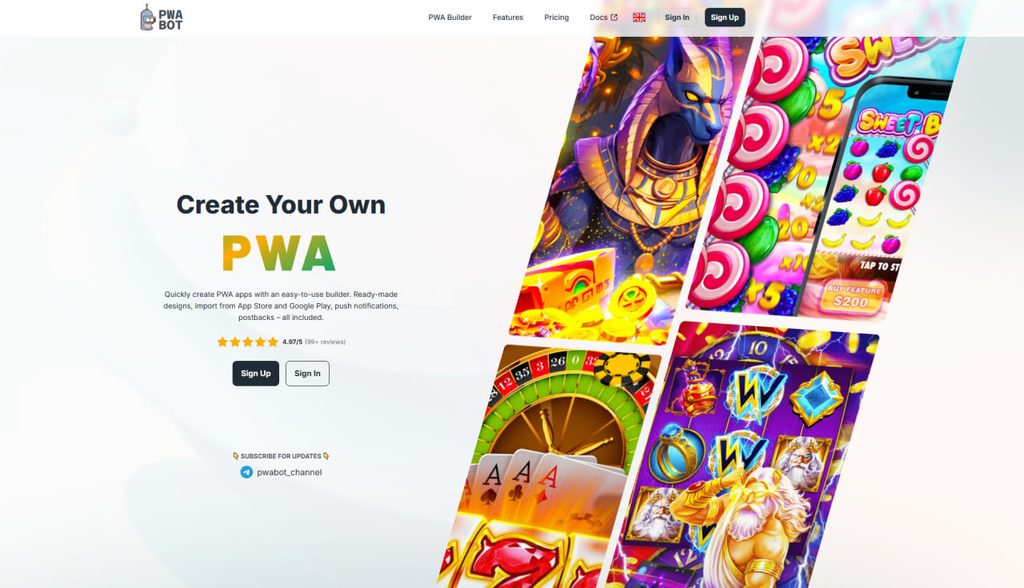
PWA.bot
PWA.bot is a builder for casino, sportsbook, and dating campaigns. Access is available immediately after registration, with no manual account approval required.
Advantages:
- App-store asset import. Icons, screenshots, names, and descriptions can be imported from Google Play or the App Store in one click. Copied assets are stored on Cloudflare’s CDN, allowing pre-landers to load quickly even for users with slow mobile connections.
- Visual push notification calendar. Notifications can be scheduled or triggered by user behavior. For example, the platform can send a push two hours after installation if the user has not opened the app, or after 24 hours if a registered user has not deposited. Audiences can also be filtered to target users who installed the app but did not complete registration.
- Built-in localization. Buttons and core interface elements are available in more than 45 languages, reducing the work required to launch in less common GEOs.
- Likee and imo acquisition support. In addition to Meta Conversions API, the platform integrates directly with Bigo Ads. Campaigns running through Likee and imo can be optimized for installs, registrations, and deposits.
- AI-generated reviews with current dates. ChatGPT is integrated into the builder to generate review copy. The platform assigns random profile photos from its avatar library and automatically updates review dates so that the content appears current.
Drawbacks:
- GEO-based pricing. PWA.bot uses pay-per-install pricing, with different rates by market: $0.07 per Tier-1 install and $0.05 per Tier-3 install.
- Additional Keitaro configuration. To pass conversion data correctly, the
external_idparameter must be configured manually in the offer URL. Without it, postbacks will not return registration and deposit data to Keitaro.
PWA Builder Comparison
To help you choose a service for your budget and traffic source, we’ve compiled all the key terms, features, and drawbacks of four platforms into one table.
| Service | Payment Model and Pricing | Main Features | Integrations | Main Drawbacks |
| PWA.market | • Subscription: from $25 per month per active app. • Per install: $0.03 per installation. • Domains and mirrors: $5 each. | • Automatic design copying of any app from Google Play via link. • Built-in cloaker and white page generator based on real store apps. • Automated push notifications on schedule. | • Facebook* Pixel (with dual optimization for install and deposit). | • Each domain and mirror requires an extra fee. • Traffic fully depends on the platform’s server stability. |
| PWA.GROUP | • Subscription: from $20 per month per active app. • Per install: from $0.03 per installation. • Domains: from $3 each. | • Built-in tracker (distributes players across different offers and GEOs within one app). • Team access with role separation for buyers. | • Facebook* Pixel, TikTok Pixel, Google Analytics, Yandex Metrica. | • Domains are not included in the plan, you need to buy and set them up via Cloudflare manually. • If the service fails, traffic is wasted. |
| Adset.pro | • Has pricing plans (e.g., Business). • 100 free installs for testing. • Free updatable domains. | • App assembly in three ways (Google Play parsing, ready-made template, or manual setup). • White Page generator via AI. • Connect third-party PWAs (ZM.apps, PWA.Partners) in one dashboard. | • Facebook* Pixel, integration with external PWA services. | • Working with third-party PWAs is closed on basic plans. • Landing archive size limit (up to 10 MB). |
| PWA.bot | • Only per install: from $0.05 (Tier-3) to $0.07 (Tier-1). • Payment only in USDT. | • Fast import of images and texts from Google Play / App Store (all media goes to Cloudflare CDN). • Push notification setup by triggers via visual calendar. • Ready-made interface translation into 45+ languages. • Review generation with random avatars and auto-updating dates. | • Facebook* Conversions API, Bigo Ads (for traffic from Likee and imo). | • Balance can only be topped up with cryptocurrency. • Install price depends on GEO (Tier-1 is more expensive). • For Keitaro, you need to manually set the external_id parameter in links. |
Can You Build a PWA Yourself?
Building a PWA independently is entirely possible. In practical terms, you create a website that replicates an app-store interface and add the technical files required for mobile browsers to recognize it as an installable web app.
If you have basic front-end development skills, you may be able to handle the setup internally. Otherwise, a freelance front-end developer can build the framework from your technical brief.
This requires a one-time investment but eliminates recurring builder subscriptions and per-install fees.
Technical Requirements for PWA Development
Three core components are required to turn a standard website into an installable PWA.
- HTTPS. A PWA must be served over a secure connection. Browsers restrict Service Workers and other background functionality on unsecured websites, so an SSL certificate is essential.
- Web App Manifest (
manifest.json). This JSON configuration file provides the operating system with the information it needs to install and display the PWA. It defines the app name, display mode, icons, interface colors, and start URL. The manifest helps the website open in a standalone, full-screen window without the standard browser address bar. - Service Worker API. A Service Worker is a background script that runs separately from the web page. It can cache interface assets, images, and text so that parts of the PWA remain available when the user temporarily loses connectivity. Service Workers also support push notifications, including delivery when the PWA is not currently open.
Programming Languages Used to Build PWAs
PWAs do not require native mobile development languages such as Java, Kotlin, or Swift. They use a standard web development stack.
- HTML5 and CSS3. HTML defines the page structure, including installation buttons, review sections, and star ratings. CSS controls fonts, colors, spacing, and other styling required to reproduce an app-store-style interface.
- JavaScript. JavaScript powers the PWA’s behavior, including Service Workers, installation prompts, loading animations, dynamic review dates, and Meta Pixel integrations.
- PHP or Node.js. Server-side technologies may be used to implement an in-house cloaking solution, filter bots and reviewers, or store click data in a private database.
Traffic Acquisition Strategies for PWAs
PWA campaigns need a structured funnel that moves the player from the initial click to the first deposit. Based on practitioner experience, several approaches can improve install and deposit conversion rates.
Interactive pre-landers and playable experiences
Instead of sending users directly to the installation page, affiliates can begin with an interactive pre-lander— for example, a wheel-of-fortune game or a chest-opening mechanic.

The player completes the interaction, wins a bonus, and taps Claim, which initiates the PWA installation flow. This additional engagement can increase install CVR.
“Interactive pre-landers and playable experiences can lift conversion rates by 10–20%, and sometimes even more,” said Evgeny, CEO of ZM Apps, in a Russian-language interview with ХАРДИ | ТРАФИК.
Full localization for each GEO
When targeting a market such as Bangladesh, reviewer names, profile images, and review copy should be localized specifically for that market.
Reviews should also remain concise. Long blocks of text are unlikely to be read, while short comments accompanied by developer responses are easier to scan.
“Interactive pre-landers and playable experiences can lift conversion rates by 10–20%, and sometimes even more,” said Evgeny, CEO of ZM Apps, in a Russian-language interview with ХАРДИ | ТРАФИК.
Promo codes in developer responses
Promo codes can encourage conversion before the user even reaches the operator’s website.
One approach is to publish a complaint from a player who reports that a free spin failed or a bonus was not credited. The developer or support team then replies with an apology and provides a valid deposit promo code as compensation.
Users reading the reviews may interpret the code as an exclusive bonus, giving them another reason to install the PWA and activate the offer.
“You can place promo codes directly in developer replies. Thank the player for their feedback or apologize for a technical issue, then offer a bonus code. A player browsing the page before installing may notice the code, decide to use it, and install the app sooner,” said Evgeny, CEO of ZM Apps, in a Russian-language interview with ХАРДИ | ТРАФИК.
Behavior-triggered push notifications
Push notifications should correspond to specific stages of the user journey.
If a player installs the PWA but does not open it within a few hours, the system can send an initial reminder. If the player registers but does not deposit within 24 hours, a different message can be triggered.
The player base should be segmented so that notifications target users who have stalled at a specific stage rather than the entire audience.
“A campaign may break even at first, but with the right push notification strategy, you can continue re-engaging users over the next four to six weeks and generate an additional 15% in profit,” said Albert, Product Manager at ZM Apps, in a Russian-language episode of the DIVEROLI podcast.
Conclusion
By 2026, PWAs have become a core acquisition tool for casino and sportsbook campaigns. As Google Play enforcement remains unpredictable and WebView apps may be removed shortly after campaigns begin spending, PWAs offer media buyers greater operational stability.
The main advantage is not simply the lower cost compared with renting store-listed apps. A PWA lets the affiliate implement Meta Pixel on its own domain and preserve more of the campaign infrastructure if an app listing or ad account is disabled.
However, choosing the first available template, launching traffic, and expecting an immediate profit is unlikely to work. PWA performance still depends on the quality of the complete funnel.
The creative, pre-lander, installation flow, and target action need to form a consistent user journey. Interactive playable elements, properly localized reviews, developer responses, and relevant promo codes can all help move players from the initial ad click toward registration and deposit.
For an initial test, affiliates can use a free PWA supplied by an affiliate program or launch through a cloud-based builder. Affiliate-program apps may provide limited control over the design and reviews, while builders offer more flexibility.
Teams planning to run sustained traffic at scale may find it more cost-effective to hire a developer and build a proprietary solution on domains they control. This requires a larger upfront investment but removes ongoing per-install fees charged by third-party platforms.

Comments (0)