


Nick’s Monday starts quietly. There is coffee beside him, Telegram is open, and the first leads are showing up in green in his tracker. Facebook is running in one Chrome tab, Google Ads in another, and a backup account sits in a third because it will “definitely come in handy, just not today.” Two hours later, one account is under review, another wants verification, and the third platform suddenly recognizes Nick from somewhere. That is where the little office horror story begins. Passwords are scattered across notes, proxies have labels such as “new good one 2,” cookies have a life of their own, and the browser looks like a teenager’s bedroom just before their parents walk in.
Anti-detect browsers were created to prevent exactly this kind of situation. They help keep work profiles separate and all your accounts in one place.
This review covers five popular anti-detect browsers: Multilogin, Dolphin{anty}, AdsPower, GoLogin, and Octo Browser. We look at which ones suit beginners, experienced media buyers, and teams.
What Is an Anti-Detect Browser, and Why Use One?
An anti-detect browser is software for managing multiple accounts from one device. It usually installs on a computer like any other application, though some providers also offer mobile apps. An affiliate heading home, for example, can take out their phone and spend a minute checking their teammates’ campaign performance or their own Facebook campaigns.
The main purpose is to conceal that one affiliate is using multiple profiles on the same traffic platform. Few platforms allow this. Facebook, for example, explicitly prohibits it.
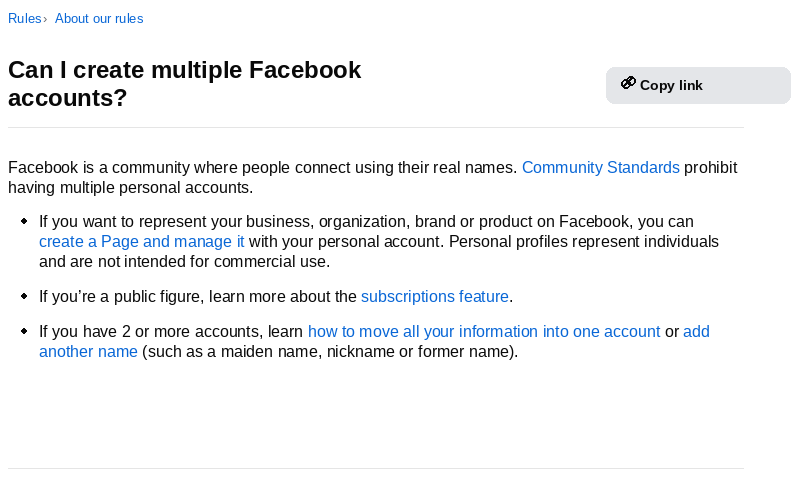
For advertising, Meta also has a policy on “inauthentic behavior”, which effectively prohibits advertisers from multiplying their ad accounts.
To identify rule violations, platforms such as Facebook analyze each user’s browser fingerprint: a combination of parameters with distinctive values. According to anti-detect browser developers, a fingerprint can contain more than 50 parameters, though around 10 are typically the main ones.
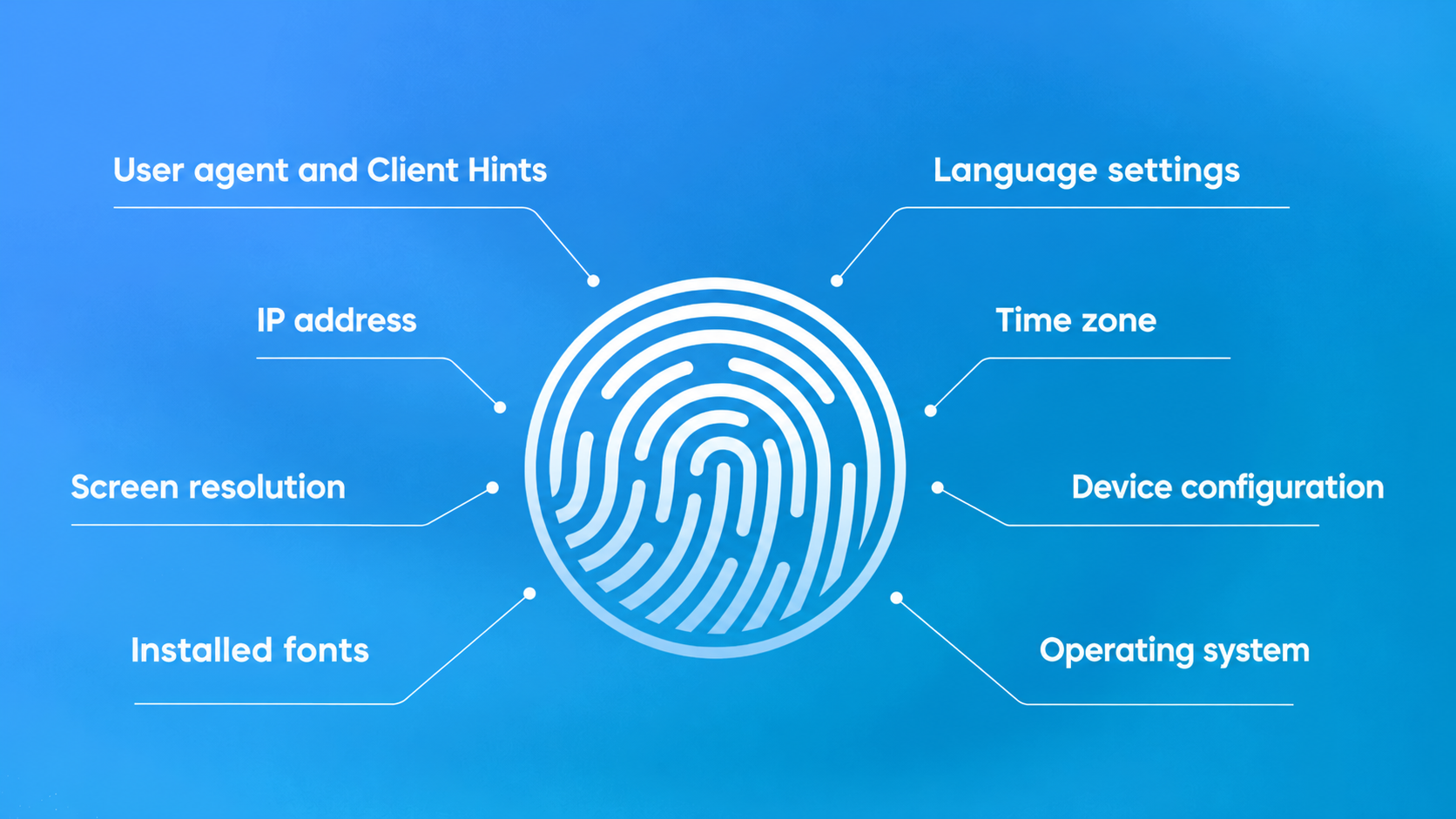
An anti-detect browser conceals the affiliate’s actual fingerprint and presents a different set of data. The platform’s algorithms therefore see each browser profile as a separate, real user. If one account gets banned, the affiliate opens a new account in the browser and continues working instead of buying a new computer.
A detailed explanation of how these browsers work could fill a textbook. The basics above, however, are enough to help you choose your first one.
Top 5 Anti-Detect Browsers in 2026
We will not turn this review into a lab and run every browser through a dozen fingerprint checkers. That would soon become a dull report for a technical lead. Most readers care more about the practical questions: the starting cost, free plans, team access, API availability, and how much routine work the software takes off their hands.
Multilogin
Multilogin is one of the longest-established names in the market. Its main attraction is that it offers cloud phones as well as browser profiles. That can be useful for affiliates working with platforms such as TikTok or Instagram, which place more trust in mobile devices than conventional PCs.
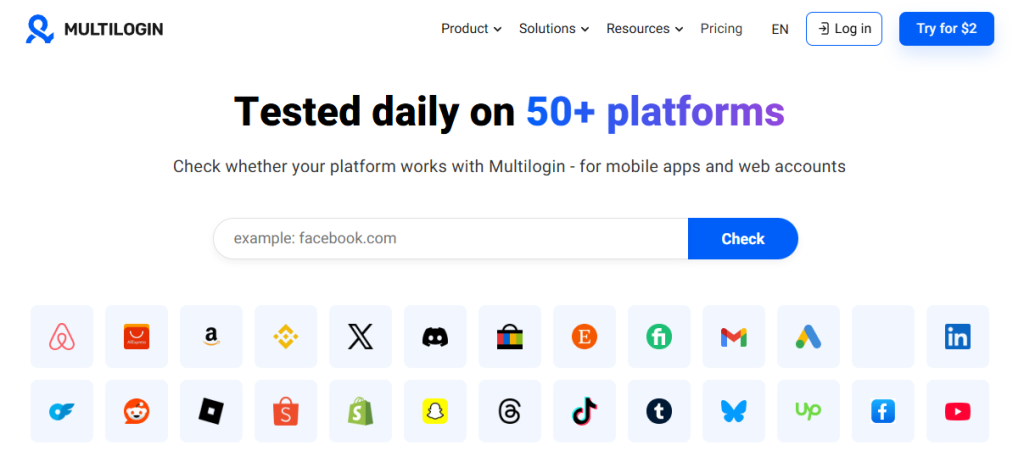
The starting option is a 3-day trial for $2. It includes 5 profiles, 200 MB of residential proxy traffic, and 60 minutes of cloud phone use.
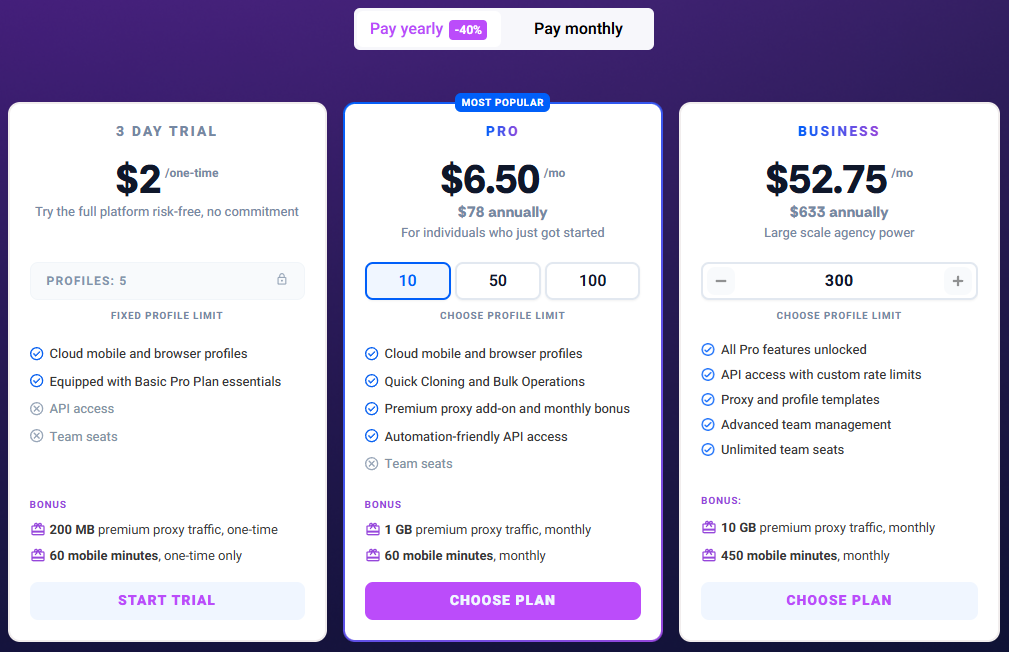
For a complete beginner, the anti-detect browser might seem overwhelming, since the developers packed iComplete beginners may find Multilogin overwhelming: it packs in profiles, smartphone access, proxies, and automation. It costs more than simply trying an anti-detect browser, but makes more sense when a media buyer already has a workflow and knows why they need the infrastructure.
Multilogin is suited to:
- teams working with both web and mobile workflows;
- projects that need an API, proxy traffic, and team features;
- users willing to pay for infrastructure rather than the cheapest way to get started.
Dolphin{anty}
Dolphin{anty} is familiar even to people in the Russian-speaking affiliate community who have never opened it. It is the GAZelle van of the industry: everyone needs it, and everyone has something to haul.
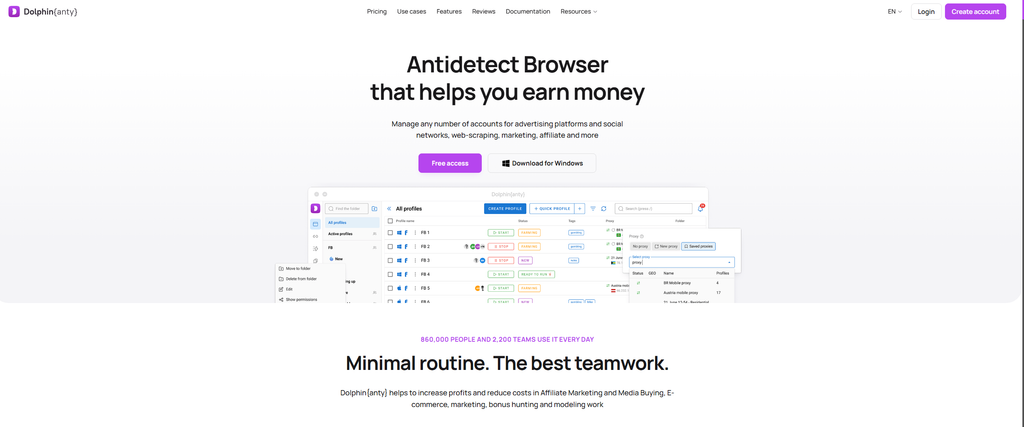
Dolphin{anty}’s biggest advantage is how easy it is to get started. Download the installer, get 5 free profiles, and decide within 15 minutes whether the interface suits you. It also offers profiles, tags, statuses, notes, folders, synchronization, scripts, team features, and an API. A solo media buyer can organize a team or join an existing one without having to relearn the workflow from scratch.
| “Dolphin has struggled with stability from the start… Now that a large team is working on it, no longer led by me, I am completely confident those stability problems will disappear. The motto now is ‘Do the best you can.’ I used to find that strange and unambitious. Why not simply do the best? Over time, though, I realized that doing the best you can is the best you can do.” Denis Zhitnyakov, creator of Dolphin{anty} |
Pricing is reasonable. The trial gives you enough time to explore the features, while the basic subscription is enough to organize one person’s work.
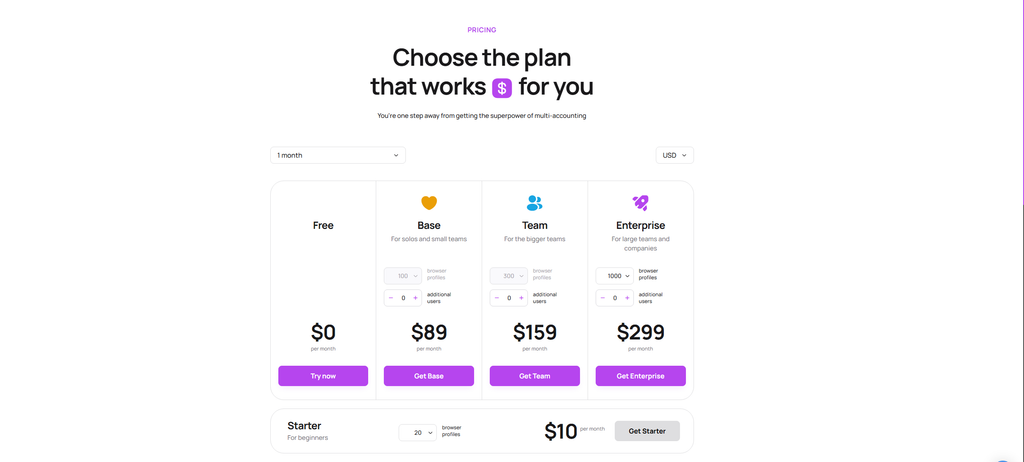
The drawback is that team access and scale cost extra. Free and Starter are useful for getting familiar with the browser, but a team owner will need to consider at least Base or Team.
Dolphin{anty} is suited to:
- beginners who want to try an anti-detect browser for free;
- solo media buyers who need a straightforward affiliate marketing tool;
- small teams that value profiles, tags, folders, and collaboration;
- anyone who wants to get started without feeling as though they have climbed into an aircraft cockpit.
AdsPower
AdsPower suits users who want automation tools alongside browser profiles. It supports synchronization, bulk actions, workflow automation, and team collaboration.
AdsPower has a permanent free plan with 2 profiles. That is too few for full-scale work, but enough to explore the interface, create your first profiles, and form an initial impression.
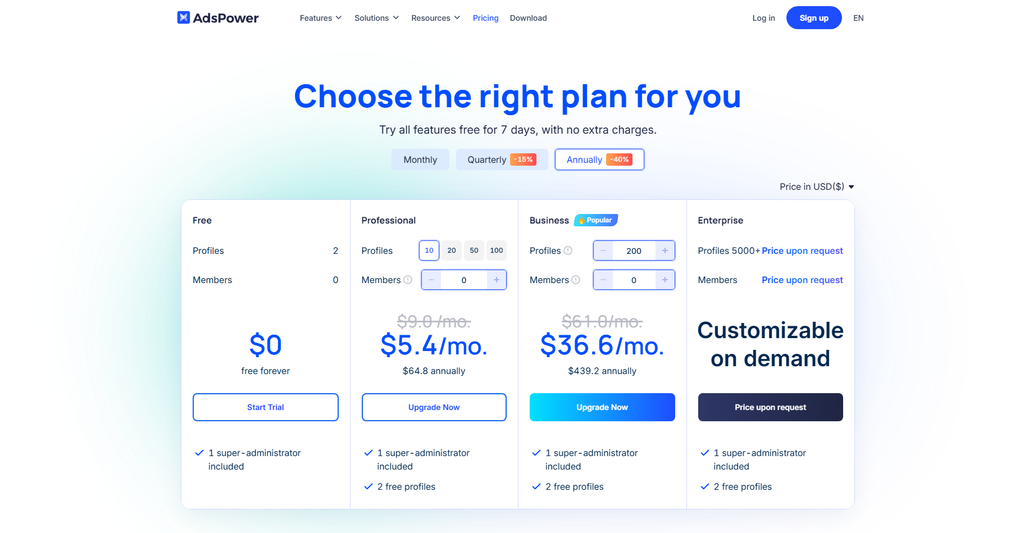
Easy onboarding and automation are AdsPower’s main attractions. While Dolphin{anty} focuses on everyday affiliate workflows, AdsPower also includes a cookie robot, a tool that synchronizes actions across profiles, and a local API. These can help users avoid hiring someone for every repetitive task.
Explore the interface and pricing model before committing. Check more than the cost per profile: consider team seats, API limits, available automation, and what your project actually needs. A cheap plan soon becomes expensive when the team realizes it needs more people, bulk actions, and proper synchronization.
AdsPower is suited to:
- users who want an ongoing free plan and an introduction to automation;
- solo professionals and small teams;
- users who prefer to tailor a plan to their needs.
GoLogin
GoLogin fits the brief “I need plenty of profiles, and I need them quickly.”
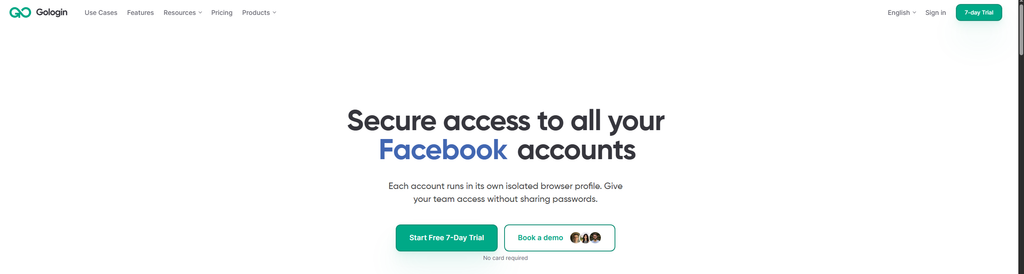
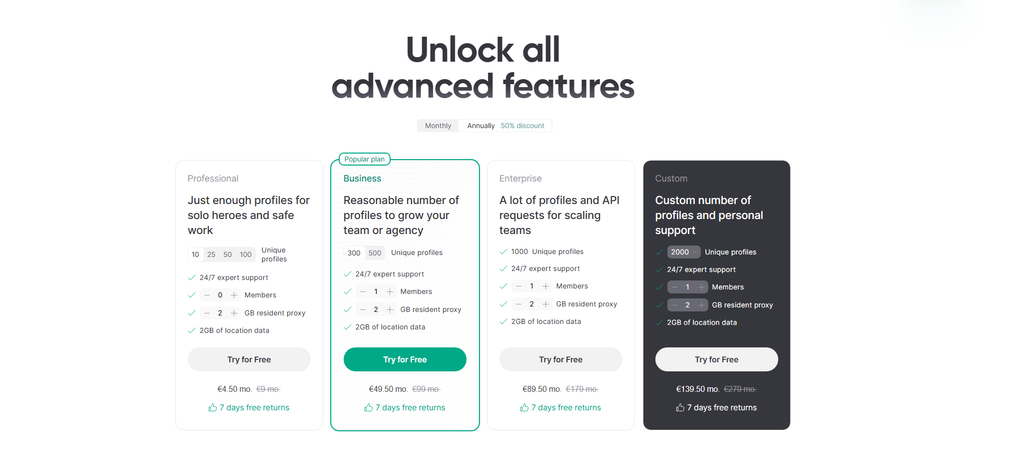
Its 7-day trial includes up to 100 browser profiles and 2 GB of residential proxy traffic. That may be more than a complete beginner needs, but there is plenty of time to test the service.
One less obvious advantage is GoLogin’s mobile app. If you need to monitor work without a computer nearby, you can download the app from the store and manage things there. That reduces the risk of missing something important.
GoLogin is suited to:
- users who need plenty of profiles from the first paid plan;
- solo professionals scaling quickly;
- teams that need profile sharing, collaboration, and an API;
- users who want to try the service through its trial and free plan.
Octo Browser
Octo Browser suits users who like a polished, organized tool that does not overwhelm them with information. Affiliates often see it as a near-premium option, with a tidy interface, team features, and a dependable API.
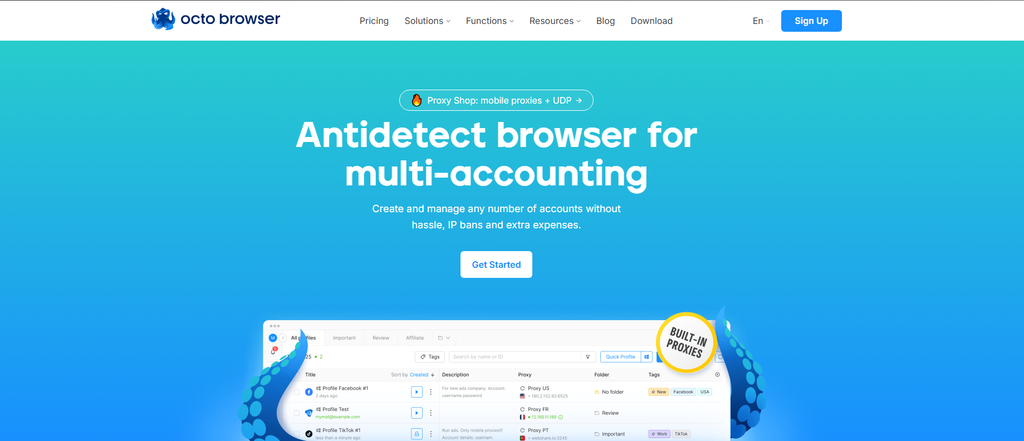
There is no trial, and the service does not need one. The developers do not try to attract users with a free plan that exposes only half the interface. Their approach is straightforward: pay for a working environment. That can be a drawback for beginners who just want to look around.
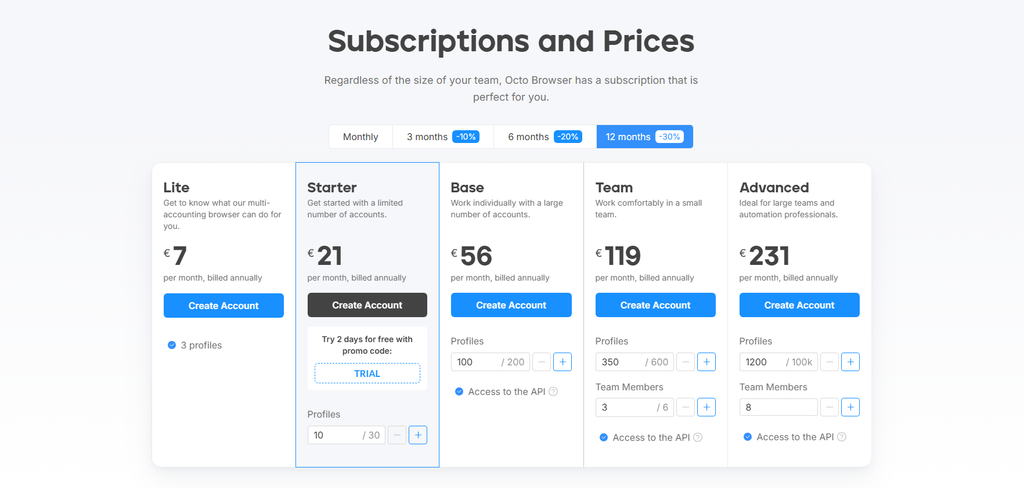
Octo is particularly appealing for teams. Its documentation covers numerous collaboration features: templates for colleagues, profile transfers, tasks for each team member, and an activity log. A small team might find that dull—until an agency ad account worth $100 “somehow” gets banned after everyone insists they “didn’t touch anything.”
Octo Browser is suited to:
- teams that value organization, roles, and oversight of user actions;
- solo professionals willing to pay for a well-organized tool;
- projects that need an API and many profiles;
- users choosing a working system rather than chasing freebies.
Free Plans: What Can You Actually Do?
Treat a free plan as a demonstration rather than an unlimited working subscription. It is like a cheese sample at the mall: enough for a taste, but hardly a meal. A free plan or trial has three useful purposes:
- Getting to know the interface. This matters more than it seems. A browser can be technically impressive, but if creating a profile feels like searching for a hidden door in an escape room, using it every day will soon become frustrating;
- Testing your workflow. Some tasks need tags, folders, notes, and bulk actions. Others require team roles, profile transfers, an API, and activity logs. A solo buyer may not need half these features. For a team, their absence can quickly turn into a company-wide game of “who lost access to the $500 account?”;
- Calculating the cost of scaling. A free allowance of 2–5 profiles is enough to explore a service. At 100 profiles, several team members, and regular use, what matters is the cost after the trial: extra profiles, seats, API access, and team features.
For a free start, consider Dolphin{anty}, AdsPower, or GoLogin. Dolphin{anty} provides 5 free profiles; AdsPower provides 2 accounts and a week-long trial. Multilogin’s trial costs $2. Octo Browser is more of a complete working tool for affiliates who already know what they need.
Which Anti-Detect Browser Fits Your Workflow?
For your first experience with anti-detect browsers, AdsPower, Dolphin{anty}, and GoLogin make sense. They offer free plans or trials, so you can test the basics without spending money.
Solo media buyers who need 20–100 profiles will often find Dolphin{anty}, GoLogin, or Octo Browser suitable. Dolphin{anty} offers a straightforward affiliate workflow. GoLogin includes many profiles in its first substantial paid plan. Octo Browser is a more structured, polished option for users who already have their processes mapped out.
For a small team, the cost of a working process matters more than the cost per profile. Account for team seats, permissions, profile transfers, activity logs, synchronization, and API access. Strong options here include Dolphin{anty}’s team plans, AdsPower Business, GoLogin Business, and Octo Team.
If you need mobile device emulation, start with Multilogin. It provides a dedicated cloud smartphone where you can set up mobile proxies and connect accounts such as those used for TikTok.
Security matters too. An anti-detect browser stores too much sensitive data to be treated as an app where you simply “create a profile and forget about it.” The market periodically sees leaks, hacks, suspicious updates, extension problems, and other incidents nobody wants to discover on a Monday morning. A past scandal alone does not mean you should immediately uninstall a product. Pay more attention to the team’s response: updates, explanations, 2FA, roles, activity logs, and usable security settings. Otherwise, you could choose the best-looking browser and still lose access through a “qwerty123” password and one proxy shared by half the team.
The best anti-detect browser is the one that gets in the way of your daily work the least, rather than the one making the loudest security promises. A solo professional does not always need a full team platform. Small teams should not skimp on permissions, and teams with mobile workflows should not choose a service designed exclusively for desktop profiles.
Conclusion
An anti-detect browser is no magic invisibility cloak that stops accounts from being banned. It is a working tool built around profiles, proxies, cookies, roles, tags, APIs, and a dozen other features.
Beginners do not need the most expensive plan or to pretend they are building a multinational holding company with three laptops and one Telegram chat. Start with the basics: is creating profiles convenient for you, is connecting proxies straightforward, can you find the right account quickly, and do you want to close the application ten minutes after installing it?
Solo media buyers need speed and organization. Teams need control, permissions, profile transfers, and activity logs. Mobile workflows call for mobile infrastructure. If you want to automate repetitive tasks, check the API, synchronization, and bulk actions before paying for a plan.
Choose a browser by how well it fits your actual work. If it helps you keep profiles organized, retain account access, avoid chaos, and stop every campaign launch from becoming a ritual, it is already doing its job. That matters more than who promises the most security.chaos, and stops every campaign launch from turning into a ritual, then it’s already doing its job.

FAQ
An antidetect browser is a program for working with separate browser profiles. Each profile can have its own cookies, settings, proxies, history, and environment parameters. In affiliate marketing, these browsers are used for multi-accounting, teamwork, and separating ad accounts.
A VPN mainly changes your IP address and network route. An antidetect browser works with browser profiles: cookies, local data, environment settings, User-Agent, language, time zone, and other parameters.
There’s no single best option. For a free start, you can try Dolphin{anty}, AdsPower, or GoLogin. For mobile workflows—Multilogin. For teamwork—Octo Browser, Dolphin{anty}, GoLogin, or AdsPower. For automation—AdsPower, GoLogin, Octo Browser, Dolphin{anty}, and Multilogin.
Yes, but with limitations. Dolphin{anty} offers 5 free profiles. AdsPower gives 2 free profiles. GoLogin has a free plan for 3 profiles and a 7-day trial. Multilogin provides a 3-day trial for $2. Octo Browser does not offer a permanent free plan.
A browser fingerprint is a set of browser and device parameters that a website can use to distinguish one user from another. It may include the browser, operating system, language, time zone, screen, fonts, and other characteristics.
At first, it’s much more important not to change settings manually, but to use proper proxies, keep profiles organized, and understand how things work. Deep fingerprint checks are a task for a tech lead or a specialist already working with a large number of accounts.
It depends on the software and personal discipline. First, look at access rights, team roles, activity logs, synchronization, profile sharing options, and participant restrictions. Even the best antidetect won’t help if the whole team uses the same password like “qwerty123456” and shares access in a group chat.
For teams, it’s not just about profiles, but also about managing people. You need to evaluate the number of team members you can invite, access rights, profile sharing, API, and the cost of adding colleagues. In this regard, compare Dolphin{anty}, AdsPower, GoLogin, Octo Browser, and Multilogin.
A bug bounty is a program where a service accepts vulnerability reports and may reward security researchers. For users, this is an indirect plus: if a company runs such a program, it at least publicly shows interest in finding and fixing weaknesses.
Technically you can, but in most real-world scenarios it’s a questionable way to save money. The antidetect separates browser profiles, while the proxy separates network environments. If all profiles use the same IP, much of the point of multi-accounting is lost.

Comments (0)