


Testing new angles blindly in Facebook Ads can get expensive. Creatives burn out quickly, while the official Meta Ad Library does not show actual EU reach or competitors’ landing pages. That is why media buyers have long used spy tools to research working approaches on a daily basis.
In this article, we take a detailed look at MTWSPY. The platform collects Facebook ads, automatically bypasses cloaking, pulls in pre-landers, and lets you search for creatives across nutra, crypto, e-commerce, and apps.
We’ll look at how the interface works, how its built-in AI analytics operates, and what sets MTWSPY apart from other solutions on the market.
What Is MTWSPY: Key Features
MTWSPY is a spy tool built for Facebook Ads research and analytics. According to this Russian-language overview, the platform originally operated as a private tool for several affiliate teams before later becoming publicly available.
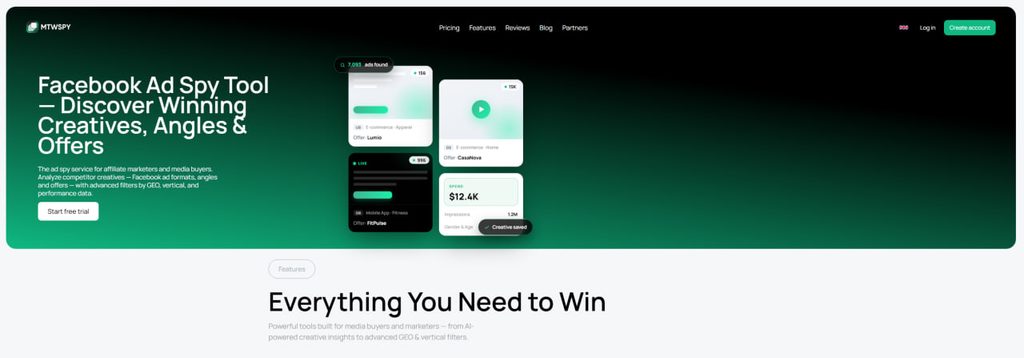
Its main focus is analyzing the full campaign setup, from the creative itself to the final landing page.
The service offers several key features:
- Cloaking bypass and downloadable landing pages. The spy tool pulls direct links from the Facebook feed, so the actual pre-lander or landing page can be opened directly from the ad card. Landing page source files can also be downloaded as a ready-made archive from the service.
- Fresh database. The database updates in real time across 75+ GEOs, making it possible to find new creatives soon after they launch.
- AI creative analysis. The built-in AI analyzes live ads across 30+ parameters and automatically compiles campaign combinations.
- Top offer rankings. Updated weekly, the ranking shows which offers are currently trending, making it easier to identify active directions for new campaigns.
- Team access and folders. Creatives and landing pages can be organized into thematic folders, labeled with custom tags, and shared with other media buyers in one click.
- EU analytics. For European markets, the spy tool displays detailed data including spend, exact reach, and audience gender and age. This helps assess how actively competitors are scaling a particular campaign.
Main Page
After logging in, you land on a dashboard with analytics and platform news. The interface is clean and uncluttered, with the key sections displayed on a single screen.
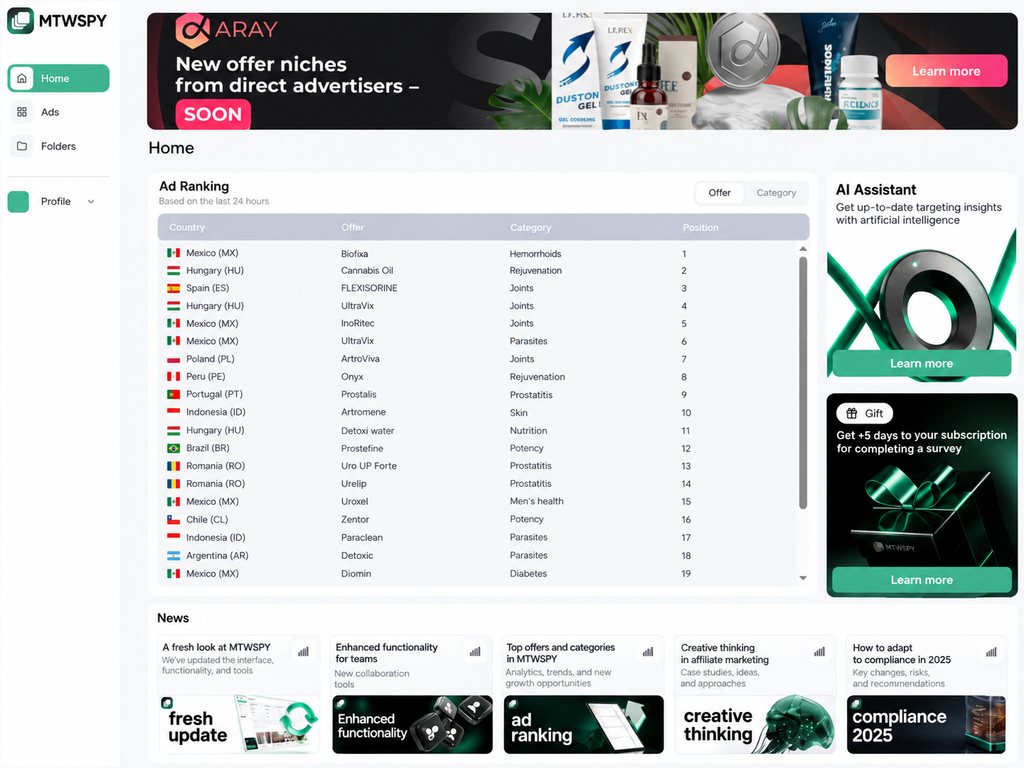
The main page includes the following sections:
- Ad Ranking. A table showing statistics for the past 24 hours. You can switch between individual offers and categories. The table displays the country, offer name, niche category such as joints, weight loss, prostatitis, diabetes, or parasites, and its ranking position. This makes it easy to see which niches competitors are actively running at the moment.
- AI Combos. A section that provides quick access to ad collections and campaign combinations selected by the AI.
- News. A feed at the bottom with platform updates and useful articles about affiliate marketing.
Ads
The workspace is straightforward and avoids unnecessary settings. Most of the screen is dedicated to the ad feed, displayed as a grid of cards, while search and quick filters sit at the top.d feed in a card grid format, while the search and quick filter blocks are placed at the top of the screen.
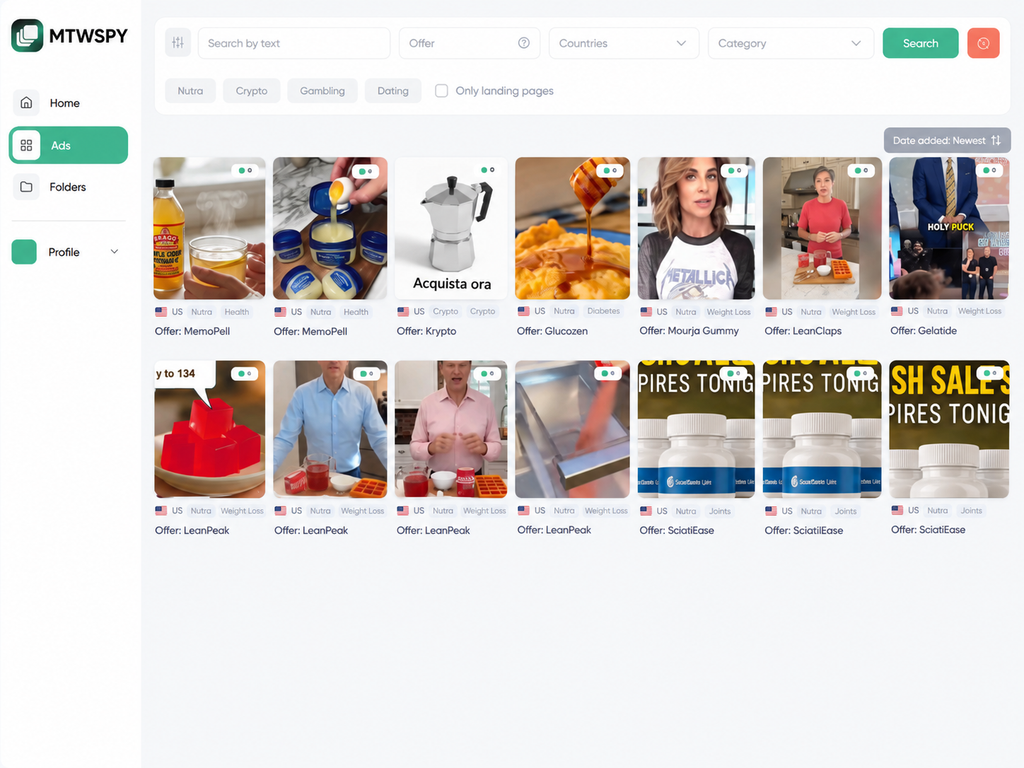
The top panel contains the main controls for quickly refining the results:
- Quick vertical selection. Buttons for Nutra, Crypto, Gambling, and Dating let you filter out irrelevant ads in one click and keep only creatives from the selected vertical.
- “Landing only” toggle. Shows only ads for which the service has already found and saved a pre-lander or landing page.
- Search fields. Let you search creatives by keywords in the ad copy, offer name, country, or category.
- Result sorting. Results can be sorted by date added to the database, launch date, reach, impressions, reactions, and other parameters. This makes it easier to find fresh creatives or approaches with the highest delivery volume.
Each card in the main feed displays the GEO, vertical, category — for example, weight loss, vision, or diabetes — and the offer name.
Available Filters
The advanced filter panel helps remove irrelevant ads and narrow the results down to the campaign setups you need.
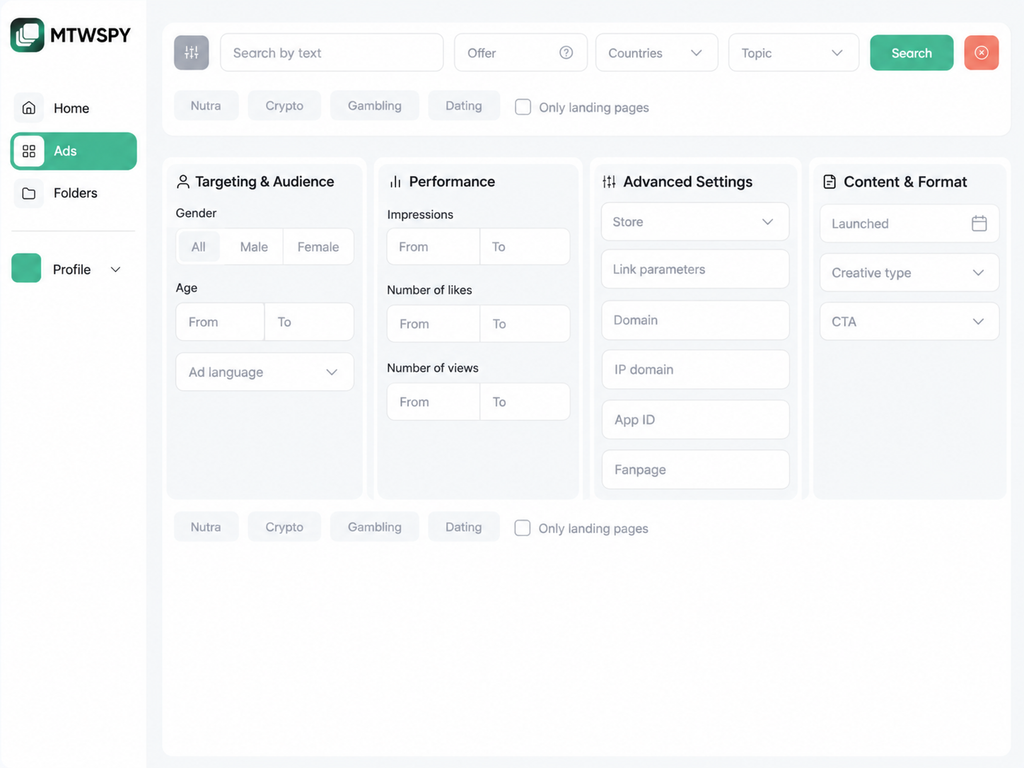
All parameters are divided into four sections:
- Targeting and audience. Here you can set gender, age, and ad language. This helps remove irrelevant creatives when you are running campaigns for a specific demographic — for example, nutra offers targeting women aged 40+ or crypto offers targeting men.
- Performance. Filters for impressions, likes, and views. You can set numeric thresholds to remove ads with minimal delivery and find creatives that competitors are running with larger budgets and keeping active for longer periods.
- Advanced settings. The Link Parameters field lets you find campaign setups using tracker parameters such as
pixel_id=,sub1=, orutm_source=. You can also search by App ID for mobile apps, Fanpage ID, and server IP address, which helps uncover other domains and campaigns run by the same team. - Content and format. Filters include launch date, media type, and call-to-action buttons. If you work with apps or e-commerce, you can set recent dates and choose CTAs such as Download, Play Game, or Shop Now to find current approaches relevant to your offer.
Ad Card
Clicking a creative in the main feed opens a detailed view of the ad.
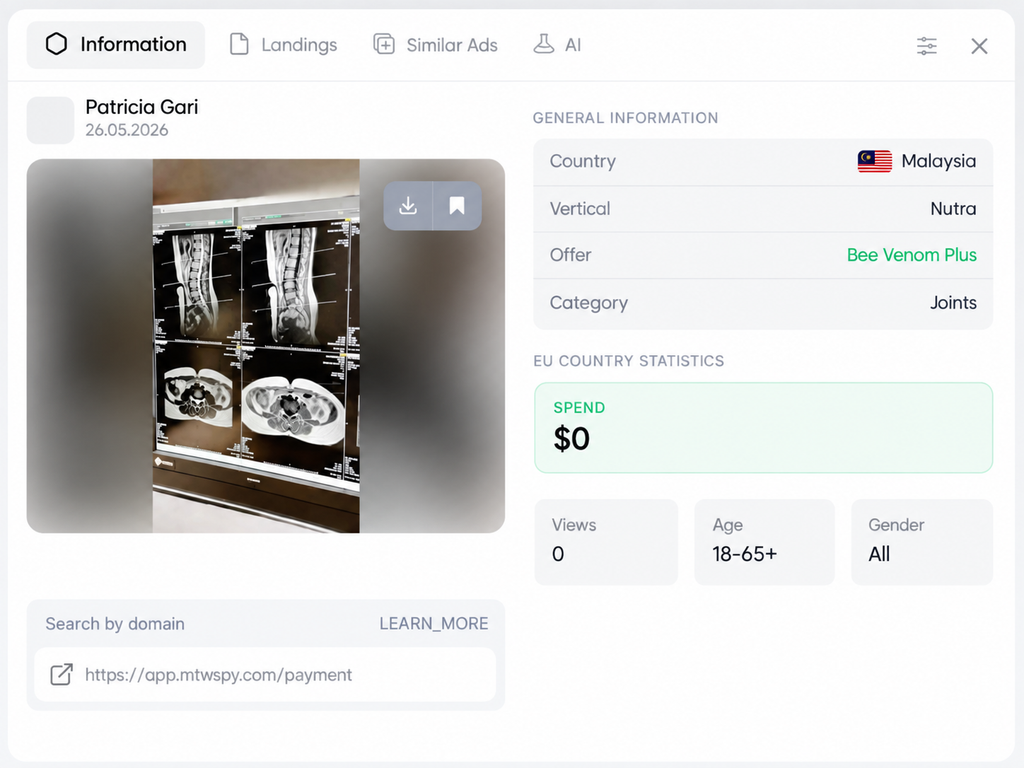
The information is divided into several blocks: technical parameters, website link, and campaign delivery statistics.
The ad card includes the following features and metrics:
- Open in Facebook. At the top are buttons to Open post in Facebook and Open ad in Ads Library. They let you go directly to the original creative, review its history, and check whether the ad is still live.
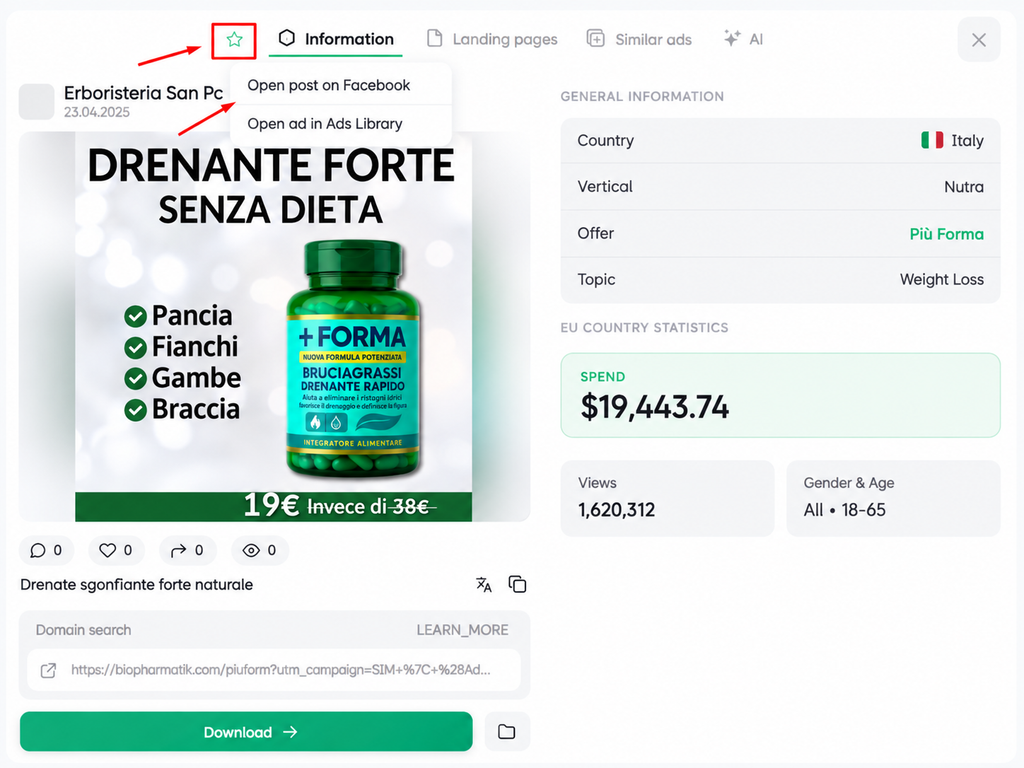
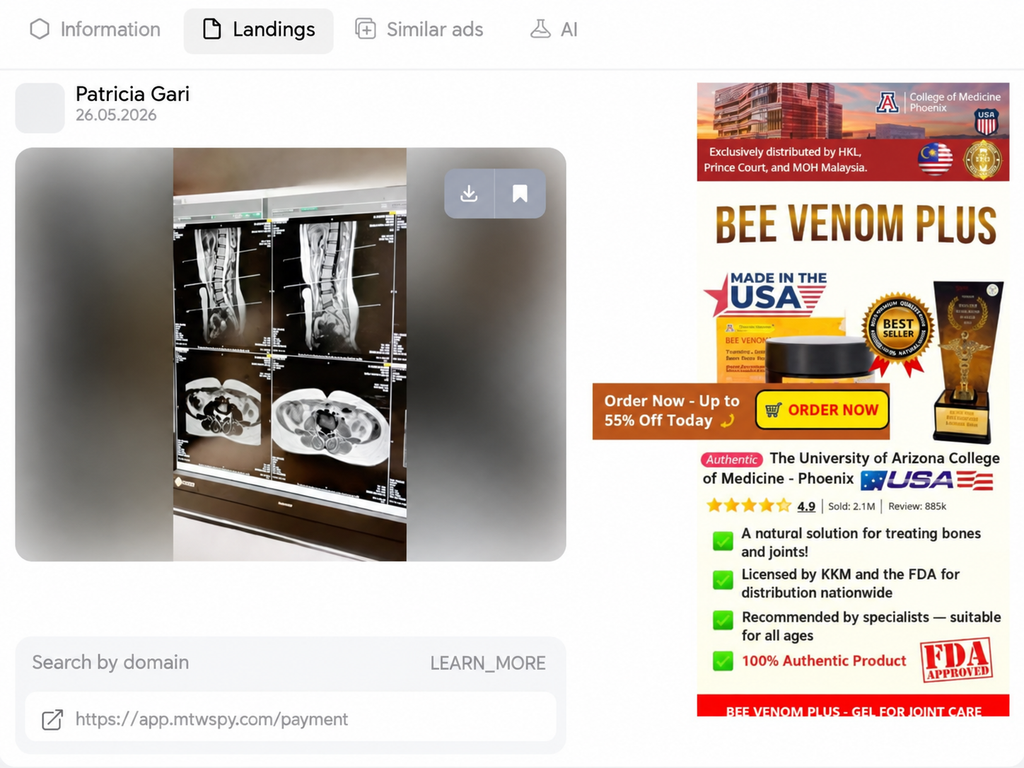
- Main data and EU statistics. On the right, you can see the GEO, vertical, exact offer name, and category — for example, hair loss. Below that, the service displays analytics for European countries: total spend in dollars, total impressions, and the gender and age of the audience targeted by the ad.Links and domain search. The ad card includes the landing page URL together with the button text. The domain search button lets you filter the database in one click to see all other ads leading to the same website.“Similar Ads” tab. Lets you pull up an advertiser’s creatives by Page ID, domain, or server IP address. This makes it possible to see other approaches being run by the same media buyer or team.Direct link to the ad card. Any ad can be shared through a direct URL. This simplifies team workflows: a colleague or team lead can open the exact same page without searching through the database.“Landings” tab. Displays the pre-lander or landing page used by the ad. MTWSPY automatically bypasses cloaking and pulls the direct URL from the Facebook feed, allowing you to inspect the page directly inside the ad card. The landing page can also be downloaded as a ready-made archive.
Folders
You can organize saved creatives, pre-landers, and landing pages into separate folders by GEO, offer, or vertical. Tags make navigation faster, so the creative or landing page you need can be found within seconds.
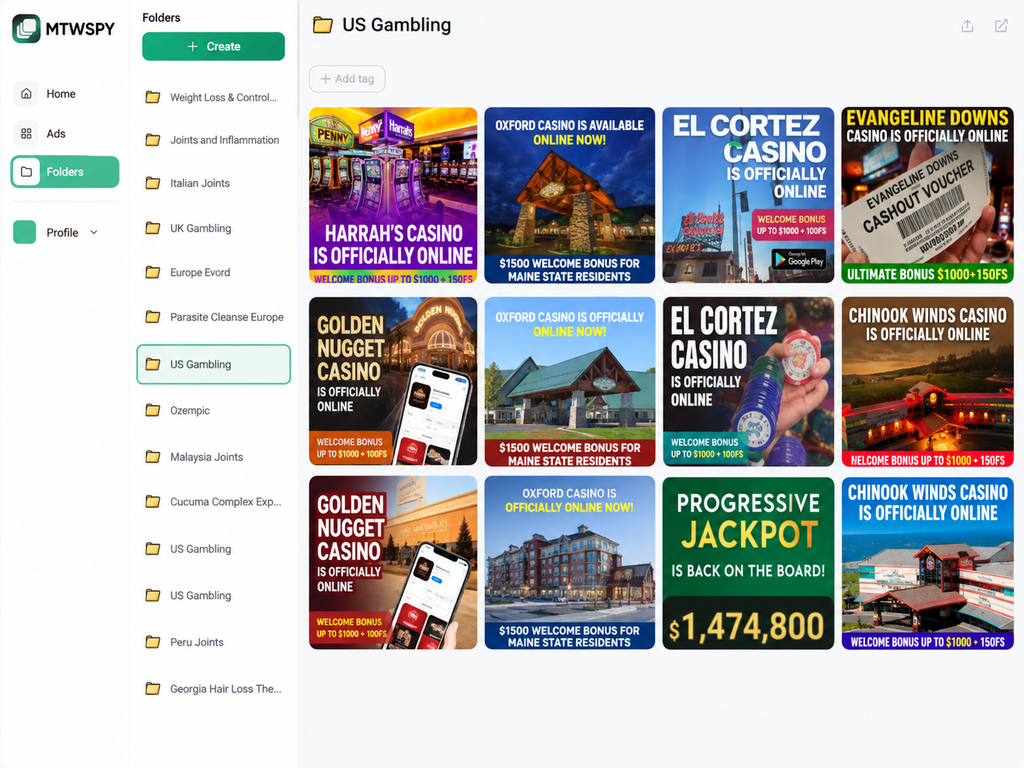
Any folder can be shared with colleagues or a team lead, allowing materials to be handed off without downloading archives or sending files through messengers.
Pricing Plans
MTWSPY offers three pricing plans, with a 35% discount for annual billing.
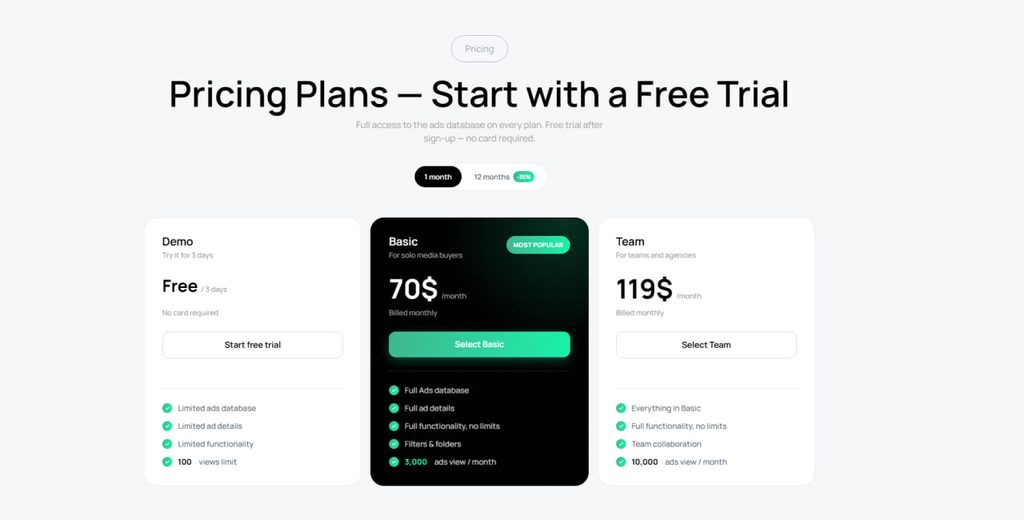
- Demo. Free 3-day trial with no credit card required. Includes 100 views and limited database access so you can test the service before subscribing.
- Basic. $70 per month for solo media buyers. Includes access to the full creative database, filters, folders, and complete ad information. The limit is 3,000 views per month.
- Team. $119 per month for teams and agencies. Includes all Basic features, adds collaboration tools, and increases the limit to 10,000 views per month.
Conclusion
MTWSPY covers the core tasks involved in researching Facebook campaign setups: it automatically bypasses cloaking to display landing pages, provides detailed spend and demographic data for EU markets, and helps identify all ads from a particular team using a server IP address or Page ID.
The service is suitable for both solo media buyers and teams that need to monitor fresh creatives in their verticals on an ongoing basis. The size of the database and the filtering tools can be tested with a free three-day trial without adding a payment card.

Comments (0)